

Choose AkaMe if you want a personalized creator website on your own domain, with registration and publishing handled for you; choose Linktree if you want a self-service link hub centered on adding and organizing destinations. This 2026 comparison focuses on the address you share, the setup you manage and the page your audience sees.
TL;DR
- AkaMe vs Linktree comes down to a managed custom-domain creator website versus a self-service link hub.
- AkaMe is best for creators who want domain registration, publishing and photo selection assistance in one workflow.
- Linktree is best for creators who prefer building and maintaining their own link-first page.
- Choose a link-in-bio website builder around your publishing workflow, not a feature count.
Why this matters
Your bio link is a handoff. Someone leaves a social profile, lands on your page and decides where to go next. The page needs to make that next step clear without asking visitors to decode your business.
For an OnlyFans creator, that destination might be a subscription platform alongside public social profiles and business inquiries. For a coach, musician or video creator, it might be bookings, releases or a channel. The useful distinction is how you want to present those destinations—not whether you need to rebuild them.
Start with the address. A personal domain puts your chosen name in the destination you share. A platform-hosted address puts your page within that platform’s domain. The guide to a custom domain or shared address for your link-in-bio website explains that decision in more detail.
At a glance: the 2026 comparison
| Dimension | AkaMe | Linktree |
|---|---|---|
| Best for | Creators wanting a managed personal-domain website | Creators wanting a self-service link hub |
| Website address | Your own personal domain | A platform-hosted Linktree page |
| Setup responsibility | Domain registration and publishing handled for you | Self-service page creation and editing |
| Standout feature | Personalized website workflow with photo selection assistance and a preview | Link-first page building and organization |
| Customization | Personalize the website and review its preview | Customize the presentation of a link hub |
| Existing destinations | Bring links to existing subscriptions, products and services together | Bring links to existing destinations together |
| Ongoing workflow | Maintain a personalized front door to your creator business | Directly maintain a list-centered destination page |
| Pricing model | Preview before checkout; assess the selected offer’s terms | Free access and paid subscription options |
The table compares the core workflows, not every feature or plan entitlement. Choose the workflow you want to maintain after launch, rather than treating the longest feature list as the automatic winner.
Choosing the right fit
Linktree wins for a self-service link hub
Linktree is the better fit when your brief is straightforward: create a page, add destinations and organize the links yourself. Its link-first approach suits a creator who wants to work directly on that page rather than start with a managed website setup.
That is a genuine strength. You do not need to turn every bio-link decision into a larger website project. If a familiar link hub already matches how you publish and update your destinations, that workflow deserves weight.
The tradeoff is responsibility. A self-service builder puts page decisions in your hands, including the wording, order and presentation of your links. Choose it because you want that role—not because you assume every creator needs the same kind of page.
AkaMe wins for a managed personal-domain website
AkaMe is best for creators who want a personalized website on their own domain without handling registration and publishing themselves. That is the clearest reason to choose it in 2026.
The practical benefit is a recognizable branded destination. Instead of making a platform’s address the center of your bio, you present a domain chosen for your creator identity. The website then brings your important links together behind that address.
This fits creators whose subscriptions, products or services already live elsewhere. You are building a front door to those destinations, not replacing the systems that deliver your work. The decision is about presentation and setup responsibility, not a promise of higher earnings or more traffic.
Managed setup wins when you want fewer technical tasks
Domain registration and publishing are part of the managed workflow. You still make the creative decisions: the name you want to use, the photos that represent you and the destinations visitors should reach.
That division of work matters. Choosing a domain is a branding decision; connecting a website to its address is a setup task. You can care deeply about the first without wanting to manage the second yourself.
For a 2026 launch, write down the setup work you actually want to own. If you enjoy assembling and editing a link page directly, Linktree’s self-service approach fits. If you want help getting a personalized website published on its domain, managed setup answers that need.
Photo assistance wins when choosing images is the sticking point
Photo selection assistance gives you help deciding which images to use on your creator website. AI photo ranking supports that process; it does not replace your judgment about how you want to appear.
Use the assistance to narrow your choices, then review the result yourself. A photo can look polished yet still be wrong for the page—for example, if it does not match the public identity visitors recognize from your social profile.
The preview before checkout is useful here. It lets you assess the photos as part of the page, rather than judging isolated files. Look at the combination of image, wording and links. Each should support the same creator identity.
Both support personalization; the preview makes choices tangible
Both approaches let you shape how your destination page appears. The useful question is not whether customization exists, but whether the editing workflow helps you reach a result you like.
A personalized creator website gives you a place to bring your imagery, name and destinations together. A customized Linktree page gives you a link hub you can arrange around your priorities. Neither removes the need to choose clear labels and a sensible order.
Before committing, make 3 checks:
- Identity: Does the page clearly represent the creator visitors came to find?
- Priority: Is the most important destination easy to identify?
- Clarity: Do link labels explain what visitors will reach?
Judge the finished presentation, not the number of controls available. More editing choices are useful only when you want to use them.
Both bring existing destinations together
Both options can serve as a central page for links to work you already publish elsewhere. Your subscription platform, store, booking service or social channel remains the destination behind its link.
This is especially relevant if you have already chosen business tools that work for you. A creator website does not need to duplicate checkout, content delivery or scheduling just to make those destinations easier to find.
Think in terms of a central page with clear routes outward:
- Subscriptions: Where visitors join your existing membership or subscription offering.
- Products: Where visitors find your existing shop or product pages.
- Services: Where visitors learn about or book your existing services.
- Social profiles: Where visitors follow your public channels.
Include only the routes that apply to your business. An empty category is not a reason to invent another offering.
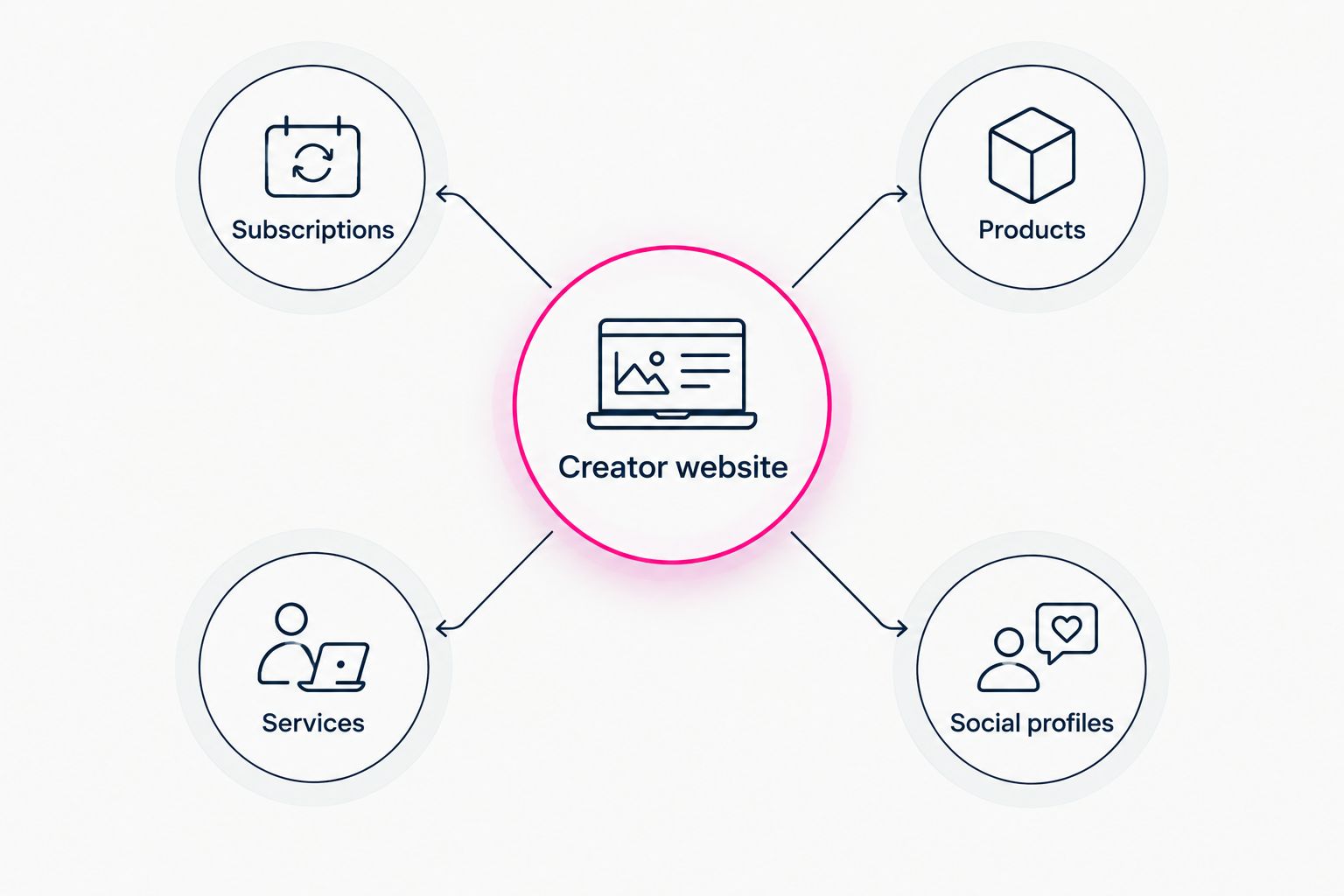
Your creator website can bring existing destinations together without replacing them.
Linktree wins when maintaining the link list is the main job
Linktree’s link-first structure fits a creator who primarily wants to add, remove and reorder destinations directly. If that is the work you expect to do, a self-service link hub is a clear match.
A personalized website makes more sense when the address and overall presentation are central to your brief. Its purpose is not merely to store links, but to present those links within a creator-branded destination.
For your 2026 shortlist, describe the recurring job in one sentence. “I want to manage my link list” points toward Linktree. “I want a personal-domain website that presents my creator identity” points toward the managed website approach. That distinction is more useful than comparing unrelated extras.
Pricing: compare the commitment, not just the entry point
Linktree has free access and paid subscription options. That model lets you begin with a basic link hub and evaluate paid features against your actual needs. Compare the relevant plan rather than assuming every feature belongs to the entry option.
AkaMe’s workflow includes a preview before checkout. Use it to assess the personalized website you are considering, then read the selected offer’s billing and domain terms. Keep the visual decision and the purchase decision connected: the preview shows the page; the terms explain the commitment.
For either route, review what you would pay for repeatedly and what work you would still do yourself. Near the domain decision, check registration ownership, renewal responsibilities and any transfer conditions. Those details determine the practical commitment behind the address.
Do not choose a website around a feature you will never use. Choose the page and setup model that fit your work, then assess the applicable terms.
Make the decision with a short page brief
Before opening a builder, write a brief that either option can answer. Keep it concrete enough to judge a preview or an edited page.
- Name the main action. Decide what visitors should do first. Use 1 primary action as your starting point, then add supporting destinations deliberately.
- Choose the identity. Use the creator name and imagery your audience recognizes. Explore a domain that fits that identity if a personal address is part of your brief.
- Prepare the destinations. Gather the links you already use and give each a clear, visitor-facing label.
- Review the page. Make 2 review passes: first for presentation, then for link destinations and wording.
This brief keeps the comparison grounded. You are choosing a page you can publish and maintain, not collecting features for a hypothetical future business.
Final verdict: choose the workflow you want
Choose AkaMe if you want a branded front door
Best for: creators who want a personalized creator website, their own domain and managed registration and publishing. Choose this route when your existing business destinations are ready and you want a website that brings them together, with photo assistance, customization and a preview before checkout.
Choose Linktree if you want to build the hub yourself
Best for: creators who prefer a self-service, link-first page. Choose this route when directly organizing your destinations is the main requirement and you want to manage that presentation yourself.
| Dimension | Winner |
|---|---|
| Self-service link hub | Linktree |
| Managed personal-domain website | AkaMe |
| Registration and publishing handled for you | AkaMe |
| Photo selection assistance and website preview | AkaMe |
| Personalization | Tie; choose the editing workflow you prefer |
| Linking existing destinations | Tie |
| Direct, link-list-centered maintenance | Linktree |
| Pricing fit | Depends on the selected offer and required features |
FAQ
Is AkaMe better than Linktree for creators?
AkaMe is the better fit for creators who want a personalized website on their own domain with registration and publishing handled for them. Linktree is the better fit for a self-service, link-first page.
Which option should I choose for an OnlyFans creator website?
Choose a managed personal-domain website if your priority is a branded destination linking to your existing subscription platform and other important pages. Choose a self-service link hub if you mainly want to organize those destinations yourself.
Do I need to move my subscriptions or products?
No. A link-in-bio website can direct visitors to the subscriptions, products and services you already offer on other platforms.
Does photo ranking choose my website photos for me?
Photo ranking assists your selection; your judgment remains part of the process. Review whether the suggested images represent your creator identity and work well in the website preview.
What should I check in a creator website preview?
Check your identity, main action and link clarity. Then review the photos and wording together so the page presents a consistent creator identity.
How should I compare the pricing models?
Compare the selected offer’s billing terms, required features and setup responsibilities. For a personal-domain website, also check ownership, renewal responsibilities and transfer conditions before choosing.
One last thing
Your most important link is not automatically your newest one. Before your 2026 launch, put the action that matters most to your current business first, then check whether the rest of the page supports it.
Preview an AkaMe creator website, personalize the photos and links, and explore a domain that fits your name. Start with the destination you want people to remember.
Preview your creator website
Personalize your page, review the result and explore a domain for your creator identity.