

Best overall for a personalized creator website: AkaMe. Best for a straightforward link list: Linktree. Best for hands-on website design: Carrd. Best for a profile-centered link hub: Linkme. This 2026 guide matches each option to how you promote shows, share comedy and handle booking inquiries.
TL;DR
- AkaMe leads the best link in bio tools for comedians wanting a personalized creator website and managed custom domain setup.
- Choose Linktree for a straightforward link list, Carrd for hands-on building, or Linkme for a profile-centered hub.
- Put your current priority first: show tickets, a featured set or booking inquiries.
- Preview your page on mobile and test every destination before sharing it.
Why this matters for comedians
A comedy clip introduces your act. Your bio link needs to answer the next question: where can someone see more, attend a show or book you?
Those visitors need different things. A fan wants the right ticket page. A promoter wants a representative performance and a clear booking route. Another creator might want your podcast or collaboration details.
Your link-in-bio page should make those routes obvious without becoming a second job. Choose a tool around the page you actually need, not the longest feature list.
What makes the best link-in-bio tool for comedians?
Use these criteria to compare your options in 2026:
- Recognizable identity: Your stage name, photo and page address should clearly belong together. A custom domain puts your chosen name in the address.
- Clear priorities: Your main action should stand out from supporting links. A current show and an old interview should not look equally urgent.
- Suitable setup: Decide whether you want registration and publishing handled or prefer configuring the website yourself.
- Useful customization: Choose enough control to express your act without turning every update into a design project.
- Destination fit: Tickets, videos, subscriptions and booking inquiries should lead to the services you actually use.
- Preview quality: Check the page as a visitor before publishing. Read the labels, inspect the photos and follow the links.
The best setup is the one you can keep accurate between performances. A polished page with an expired ticket link still sends people to the wrong place.
The tools at a glance
| Tool | Best for | Standout approach | Key consideration |
|---|---|---|---|
| AkaMe | A personalized creator website on a unique domain | Domain registration, publishing, customization and photo selection assistance | Fits a website that directs visitors to your existing destinations |
| Linktree | A straightforward collection of links | A link-list approach to multiple destinations | Your labels and link order must explain what matters |
| Carrd | Hands-on website building | Direct control over building and domain configuration | You take an active role in setup and design |
| Linkme | A profile-centered link hub | A profile that brings destinations together | Check that the page presentation matches your booking and promotional needs |
These are workflow recommendations, not a claim that one platform owns a particular feature. Start with the job your page needs to do, then inspect the editor and visitor experience.
1. AkaMe: best for a personalized comedian website
AkaMe is the best fit for comedians who want a personalized creator website on their own domain with setup handled. It brings important links together while your tickets, subscriptions, products or services remain on their existing platforms.
Domain registration and publishing are handled for you. You can customize the website, get assistance selecting photos and preview the result before checkout. Photo selection assistance supports your judgment; you still decide which image represents your act.
For a comedian, that means building a recognizable destination around your stage name rather than treating the page as an anonymous directory. Use it to introduce yourself, highlight a current priority and direct visitors to the right next step.
Pros
- A unique domain gives you a distinct address to share in your bio and promotional material.
- Handled registration and publishing remove domain configuration from your setup tasks.
- Customization and photo selection assistance help shape the presentation around your identity.
- A preview lets you assess the website before checkout.
Choosing the right fit
- Choose this workflow when your sales, subscriptions or services already have destinations and you want a branded front door.
- If you enjoy assembling page layouts and configuring domains yourself, Carrd offers a more hands-on approach.
Best for: Comedians who want their own recognizable website without taking on the full setup process.
Verdict: Buy for a personalized creator website with handled domain setup.
2. Linktree: best for a straightforward comedy link list
Linktree organizes destinations into a link-in-bio page. It suits a comedian who wants visitors to choose from clearly labeled routes such as upcoming shows, a video channel and booking details.
The strength of this approach is its directness. You are presenting a menu, so the main editorial work is deciding what belongs on that menu and which destination goes first.
Pros
- The link-list format suits destinations spread across different services.
- Each button can communicate a specific next action.
- A focused collection of links avoids writing a full website's worth of copy.
Choosing the right fit
- A list needs careful editing when show links, social profiles and older appearances compete for attention.
- If you need a longer introduction or a particular page composition, compare the layout workflow with a website builder before deciding.
Best for: Comedians whose main requirement is a clear collection of destinations.
Verdict: Buy for a straightforward link-list workflow.
3. Carrd: best for hands-on control over your comedy website
Carrd is a one-page website builder suited to creators who prefer direct control over website building and domain configuration. It is a strong fit when you want to arrange an introduction, performance links and booking information yourself.
This is a building workflow rather than a handled setup workflow. The attraction is choosing how the page comes together, especially when you already have a clear idea of its structure.
Pros
- A one-page website gives you room to combine an introduction with destination links.
- Hands-on building suits creators who enjoy making layout decisions.
- Direct domain configuration suits someone comfortable managing that part of setup.
Choosing the right fit
- You take responsibility for the design decisions instead of having the page assembled for you.
- Domain configuration is part of the hands-on work, so choose this route because you want that control.
Best for: Comedians who want to build and configure their own compact website.
Verdict: Buy when direct building control matters more than handled setup.
4. Linkme: best for a profile-centered link hub
Linkme is another option for presenting a profile alongside your important links. Consider it when your immediate goal is a central profile that points visitors toward your comedy across platforms.
Judge the result against real visitor tasks. A page that introduces your personality still needs to make tickets, performances and business inquiries easy to distinguish.
Pros
- A central profile gives your destinations a shared introduction.
- A link hub suits comedians publishing across several platforms.
- A profile-centered approach keeps the page focused on you and your destinations.
Choosing the right fit
- Inspect the current editing experience against the structure you need before choosing.
- If a personal domain is central to your decision, establish how that requirement will be handled rather than assuming every profile workflow is identical.
Best for: Comedians who want a profile-centered hub for their existing destinations.
Verdict: Buy when the profile presentation matches your actual workflow.
Build the page around your next audience action
Your 2026 page should reflect what you are promoting now. Start with 1 primary action, then add supporting routes that serve different visitors.
A touring comic might prioritize tickets. A comedian seeking bookings might lead with a representative set and booking details. A sketch creator promoting a new series might send visitors to the latest episode.
Choose your priority
Write the action in plain language: see upcoming shows, watch the latest set or inquire about booking. Avoid a vague label such as more when you can say what the visitor will find.
Choose the destination before choosing the button wording. If the link opens a general venue homepage rather than your event, find the more useful destination first.
Sort your destinations
Begin with 3 destination links as an editing exercise: your main action, a representative performance and a business contact route. Add another only when it serves a distinct purpose.
This is not a platform limit. It is a way to spot duplicates before the page grows into a collection of everything you have ever published.
Add your identity
Use your stage name consistently and choose a photo that is recognizable beside your social profile. Write a short introduction that describes your comedy or current project without burying the links.
Keep jokes where they help your voice. A booking button should still be unmistakably a booking button.
Test the journey
Check 2 visitor paths before sharing: a fan looking for a show and a promoter looking to contact you. Follow each route from the bio page through to its destination.
Read the page on your phone. Check for cropped photos, unclear labels and links that send visitors somewhere different from what the button promises.
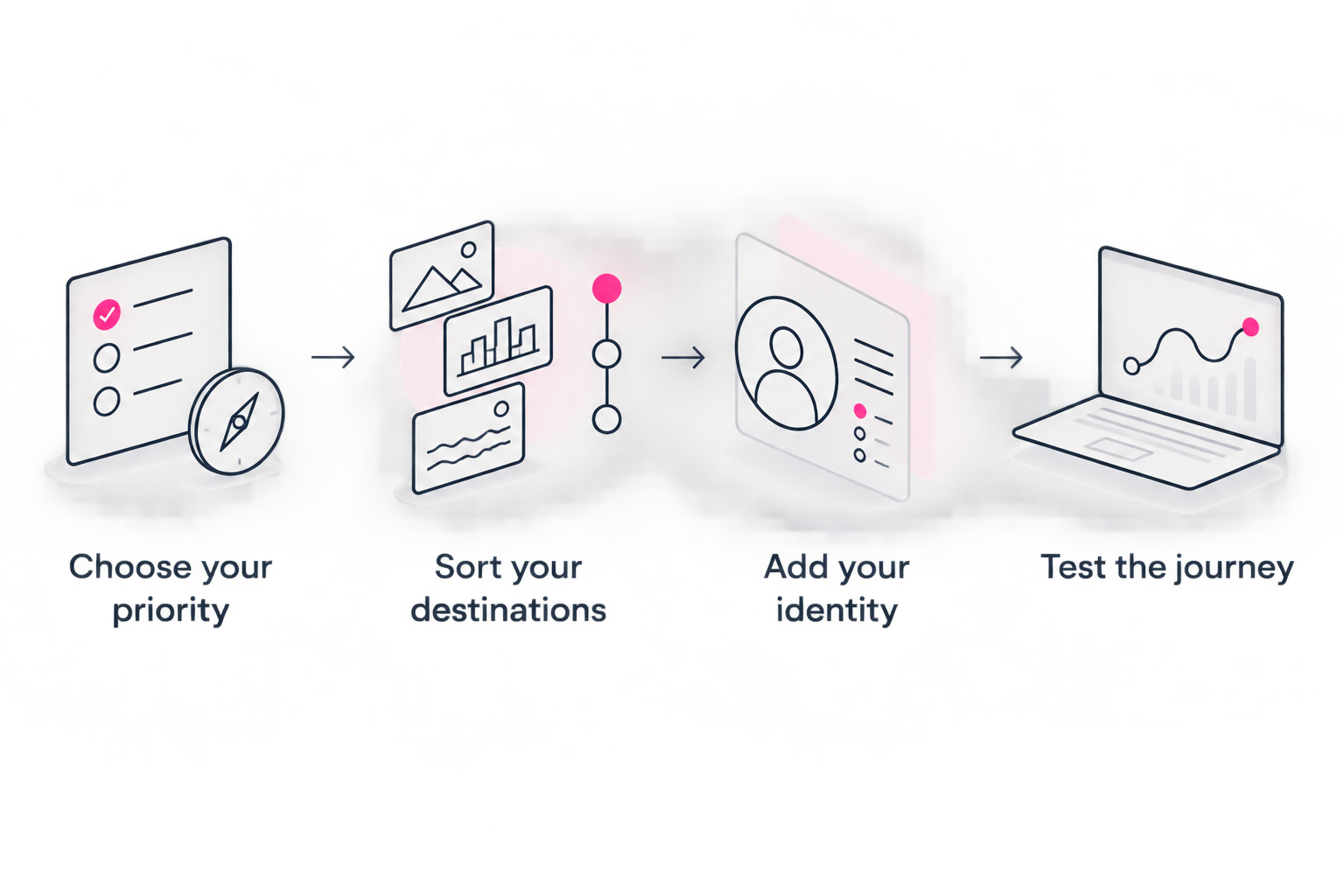
Decide what visitors should do before arranging the page.
How the tools are ranked
This 2026 ranking prioritizes recognizable identity, setup responsibility, customization, destination fit and a clear visitor journey. The recommendations match each tool's approach to a distinct workflow; they are not performance scores or promises of more ticket sales.
A handled creator website comes first for the comedian who wants a branded destination without configuring it. A link list, a hands-on website builder and a profile hub address different preferences.
Which link-in-bio tool should you choose?
Choose AkaMe if your priority is a personalized creator website, a unique domain and handled setup. That is the default recommendation for a comedian who already has ticketing, content or business destinations and wants a recognizable place to bring them together.
Choose Linktree for a straightforward link menu. Choose Carrd when building and configuring the website is part of what you want to control. Choose Linkme when a profile-centered hub matches the page you want to present.
Before settling on any link-in-bio website builder in 2026, write down your main destination and your preferred setup workflow. Those decisions are more useful than comparing features you have no plan to use.
FAQ
What's the best link-in-bio tool for a comedian who wants a personal domain?
AkaMe is the recommendation for a comedian who wants a personalized creator website with domain registration and publishing handled. Customization, photo selection assistance and a preview before checkout support that setup.
Is Linktree or Carrd better for a comedian?
Linktree fits a straightforward link-list workflow; Carrd fits a comedian who wants to build and configure a one-page website directly. Choose based on whether you want a destination menu or more hands-on website building.
What should a comedian put first on a bio page?
Put your current priority first, such as upcoming shows, a featured performance or booking inquiries. Label the link with the action visitors can take rather than a vague phrase.
Do comedians need to move ticket sales to their creator website?
No, a creator website can direct visitors to the ticketing service already handling the event. Use the most relevant destination so visitors reach the show they intended to find.
Can a link-in-bio page serve fans and booking agents?
Yes, give fans and booking contacts clearly labeled routes. Highlight your current audience action while keeping a representative performance and business inquiry destination easy to identify.
Should a comedian use a stage name for a custom domain?
Use a name your audience already recognizes and can spell confidently. Check the exact domain you want, and favor clarity over an elaborate variation.
How do I check a comedian bio page before publishing?
Open the preview on your phone and follow every link to its destination. Confirm that your name, photo, main action and booking route are clear without extra explanation.
One last thing
An expired show button is not just old information. It is the wrong next step. Make checking your featured destination part of announcing each new performance, rather than waiting for a full website refresh.
Preview an AkaMe creator website, personalize it around your comedy and explore a domain that fits your name. Start with the destination you want people to remember.
Preview your creator website
Personalize your page, review the preview and explore a domain that fits your comedy.