

Best overall for a personalized gaming creator website: AkaMe. Best for a straightforward link collection: Linktree. Best for hands-on page building: Carrd. Best for creators who prefer Linkme’s workflow: Linkme. This 2026 guide compares the best link in bio tools for gamers by setup, presentation, and how you want to manage your page.
TL;DR
- AkaMe leads the best link in bio tools for gamers who want a personalized creator website and managed domain setup.
- Choose Linktree for a straightforward link collection or Carrd for hands-on website building.
- Consider Linkme when its page-building workflow matches how you want to maintain your links.
- Put your main gaming destination first; keep community, support, and business links clearly labeled.
Why this matters
Your stream, videos, community, and business contact serve different visitors. A link-in-bio page gives those visitors a place to choose their next step without making you squeeze every destination into a profile description.
For a gamer, the useful question is not which builder has the longest feature list. It is which builder helps you present your creator identity and maintain the right links between uploads, streams, and collaborations.
A dedicated creator website also separates your public address from any single content channel. That does not replace Twitch, YouTube, Discord, or your existing business tools. It gives you a recognizable front door to them.
What makes the best link in bio tools for gamers?
Use these criteria for your 2026 shortlist. Judge the finished page and the work required to maintain it, not just the editor’s first impression.
- A recognizable address: Decide whether a personal custom domain is central to your creator identity or whether a platform-hosted profile suits your needs.
- A clear main action: Your page should make the most useful destination obvious, whether that is a stream, a video, or a community invitation.
- The right setup workload: Choose between having setup handled and taking direct control of page building and domain configuration.
- Readable mobile presentation: Check button labels, photo crops, and link order on a phone before sharing the page.
- A manageable update routine: Pick an approach you can maintain when your featured game, content series, or collaboration changes.
Start with 1 primary action and 3 supporting destinations. That is a practical draft, not a platform limit. Add more only when each link serves a distinct visitor need.
Gaming link-in-bio tools at a glance
These 2026 picks cover different working styles. The order favors a personalized creator website first, then a direct link collection, hands-on building, and an alternative link-page workflow.
| Tool | Best for | Standout approach | Key tradeoff |
|---|---|---|---|
| AkaMe | A personalized gaming creator website | Custom domain, handled registration and publishing, and a preview before checkout | Your subscriptions, products, and services remain at their existing destinations |
| Linktree | A straightforward collection of gaming links | A dedicated link-in-bio page for organizing destinations | A collection of links still needs clear priorities and useful labels |
| Carrd | Hands-on creators who want to build their page | Direct control over website building and domain configuration | You take responsibility for more page-building decisions |
| Linkme | Creators who prefer its link-page workflow | An alternative way to organize a public link destination | You need to assess its editing workflow against your own routine |
1. AkaMe: best for a personalized gaming creator website
AkaMe is the best fit for gamers who want a personalized creator website on a unique domain with registration and publishing handled for them. Your page brings important destinations together while your streams, subscriptions, products, or services stay on the platforms you already use.
The practical benefit is simpler setup around your creator identity. You get customization, help selecting photos, and a preview before checkout, so you can assess the page before making your decision. Photo-selection assistance supports your judgment; it does not replace your choices.
Choosing the right fit
Pros:
- A personal domain gives your gaming identity a distinct public address.
- Handled registration and publishing reduce the setup tasks on your side.
- Customization helps you present your creator identity rather than only a list of destinations.
- The preview lets you review the page before checkout.
Considerations:
- This approach fits an existing creator business; your linked services still operate at their respective destinations.
- You still need to choose useful photos, clear link labels, and a sensible order for visitors.
Best for: Streamers, gaming video creators, and gaming personalities who want a branded destination without handling domain setup themselves.
Verdict: Buy for a personalized creator website with handled setup.
2. Linktree: best for a straightforward gaming link collection
Linktree is a link-in-bio tool for collecting destinations on a public page. For gamers, that means presenting places such as a streaming channel, video library, community, and business contact together.
Choose Linktree when the main job is organizing links rather than planning a more individualized website. You still control the editorial decisions that make the page useful: what appears first, what each button promises, and which outdated destinations disappear.
Choosing the right fit
Linktree pros:
- A link-focused page suits creators with several existing destinations.
- The format supports a straightforward directory rather than a lengthy website brief.
- You can plan the page around visitor tasks such as watching, joining, or contacting you.
Linktree considerations:
- A link collection does not solve unclear priorities; you must decide which destination deserves attention first.
- A name alone does not establish the right fit. Review the current domain and customization options against your requirements.
Best for: Gamers who want a direct collection of links and prefer to focus their effort on organizing destinations.
Verdict: Buy for a straightforward link-directory workflow.
3. Carrd: best for gamers who want hands-on website building
Carrd suits creators who prefer direct control over website building and domain configuration. It is a useful choice when shaping the page is part of the appeal rather than a task you want handled.
A gaming creator can approach the page as a small website: an introduction, a featured destination, supporting links, and a business contact. That flexibility also means making deliberate choices about layout and what to leave out.
Choosing the right fit
Carrd pros:
- Hands-on building suits creators with a clear idea of their page’s structure.
- Direct control lets you treat the destination as a small website rather than only a directory.
- Managing domain configuration suits creators who want involvement in that work.
Carrd considerations:
- The hands-on approach puts more building and configuration decisions on you.
- Extra design freedom requires restraint; secondary sections should not bury your main action.
Best for: Gaming creators who enjoy building and maintaining their own website.
Verdict: Buy for direct control over the building process.
4. Linkme: best for creators who prefer its link-page workflow
Linkme belongs on the shortlist as another link-in-bio option. Consider it when you want a public destination for your creator links and prefer its approach to building and editing that page.
Use your actual gaming destinations when evaluating it. A page that looks appealing with sample content still needs to work with your channel names, community invitation, profile photo, and contact information.
Choosing the right fit
Linkme pros:
- A link-page approach suits creators whose content already lives across other platforms.
- It gives you another workflow to compare with Linktree before choosing.
- A focused link destination can keep the website brief centered on visitor actions.
Linkme considerations:
- Your comfort with the editor matters more than a sample page’s appearance.
- Check current domain and customization details against your requirements before committing.
Best for: Creators who specifically prefer Linkme’s page-building and maintenance workflow.
Verdict: Hold until you have evaluated the workflow with your own links.
Build a gaming page people can actually use
A good tool does not choose your priorities for you. Before publishing your 2026 page, map the route from your social profile to the destination a visitor needs.
Choose your priority
Pick the main action for the page. A streamer might prioritize watching a stream; a video creator might prioritize a featured video; a community-led creator might prioritize joining a community.
Write that action plainly. “Watch my stream” explains the destination more clearly than an inside joke that only longtime viewers understand.
Group your destinations
Start with your main destination, then arrange supporting links by purpose. Keep viewing links together, give your community a clear label, and separate business inquiries from audience activities.
Do not add a link simply because the account exists. Ask what useful task it completes for someone arriving from your bio.
Review your identity
Use a recognizable creator name and a photo that remains clear at a small size. If your handle differs across platforms, explain the connection in a short introduction.
For a custom domain, favor a name you can say aloud and spell without a long explanation. Avoid tying the entire identity to a temporary content series unless that series is the brand you intend to keep.
Test the journey
Complete 2 mobile checks: open the page from a social profile, then follow every destination. These checks cover different problems: how visitors arrive and whether they can finish the next step.
Check community invitations and business contact details especially carefully. A polished page cannot compensate for a destination that no longer works.
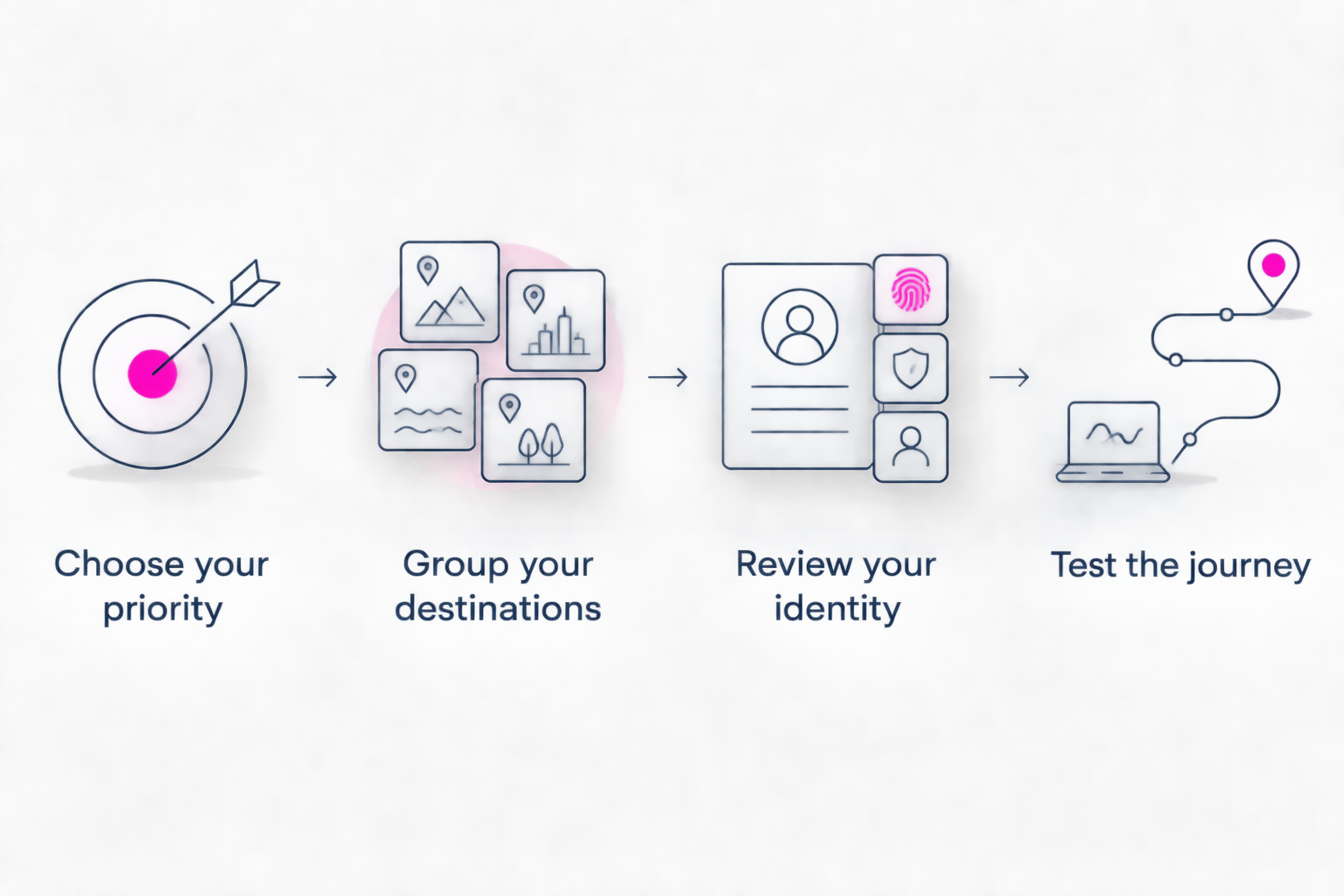
Choose the visitor’s next action before adjusting the page’s presentation.
How we ranked these gaming link-in-bio tools
The ranking follows the criteria above: recognizable identity, clear destinations, setup workload, mobile presentation, and ongoing maintenance. It is a workflow-based recommendation, not a claim that one builder wins every feature comparison.
The first pick suits creators who want a personalized website and handled domain setup. Linktree suits a straightforward link collection, Carrd suits hands-on building, and Linkme suits creators who prefer its editing approach. Choose the working style you will maintain, not the longest list of options.
Which gaming link-in-bio tool should you choose?
Choose AkaMe if you want a personalized gaming creator website with a custom domain and handled registration and publishing. It is the default recommendation here for creators whose important destinations already exist and need a recognizable place to come together.
Choose Linktree for a straightforward collection, Carrd for direct involvement in building, or Linkme when its workflow fits you best. Your 2026 decision should come down to the page you want and the setup work you want to own.
Before deciding, write a short brief: your creator name, main action, supporting links, and preferred photo. That brief makes any comparison more useful than browsing templates without your own content in mind.
FAQ
What are the best link in bio tools for gamers in 2026?
AkaMe, Linktree, Carrd, and Linkme suit different gaming creator workflows. Choose a personalized creator website with handled setup, a straightforward link collection, hands-on website building, or the editing workflow you prefer.
What should I put on a gaming link-in-bio page?
Put your main viewing destination first, followed by useful community, support, and business links. Give each link a clear label and remove destinations that no longer serve a purpose.
Is Linktree or Carrd better for a gaming creator?
Linktree fits a straightforward link collection, while Carrd fits creators who want direct control over website building and domain configuration. Choose based on whether you want to organize destinations or take a more hands-on building role.
Do gamers need a custom domain for their creator website?
A custom domain is useful when you want a distinct address centered on your creator identity. It is a branding choice, not a requirement for collecting your gaming links.
Can one page link to Twitch, YouTube, and Discord?
Yes, a link-in-bio page can bring those destinations together. Use clear labels so visitors can distinguish watching content from joining your community.
Should I replace my existing gaming website with a link-in-bio tool?
Keep your existing website if it already gives mobile visitors a clear route to your important destinations. A separate page is useful when you need a more focused landing destination for social profiles.
How do I choose the first link on my gaming creator page?
Choose the destination that matches your current main goal. Keep that action prominent and update it when your content priorities change.
One last thing
Give business inquiries their own clear route. A viewer looking for your stream and a partner looking to contact you should not have to guess which button serves them.
For your 2026 page, start with the visitor’s task, then personalize the presentation. Preview your AkaMe creator website, make it yours, and explore a domain that fits your gaming identity.
Preview your creator website
Personalize your page and explore a domain for your gaming identity.