
Best overall: AkaMe for models who want a personalized creator website on their own domain. Best for a straightforward link hub: Linktree. Best for hands-on website building: Carrd. Best for models already using Linkme: Linkme. This 2026 guide compares the workflows so you can choose around your portfolio, bookings and creator business.
TL;DR
- AkaMe leads the best link in bio tools for models who want a custom domain and handled setup.
- Linktree suits a straightforward link hub; Carrd suits models who want direct control over website building.
- Linkme belongs on your shortlist when it already supports your profile-sharing workflow.
- Choose around your main visitor action, then organize portfolio, booking and subscription links beneath it.
Why this matters
Your social profile introduces you. Your link-in-bio page gives someone a next step: view your work, contact your representative, explore a collaboration or visit your subscription platform.
Those visitors need different things. A casting contact should find your portfolio without sorting through every social account; a follower should understand which destination contains the content they came for. Choose the tool around those paths, not the longest feature list.
A custom domain also gives you a named destination to put in your profiles and professional materials. It changes the address people visit; it does not exempt the website or its linked destinations from platform rules.
What makes the best link in bio tools for models?
Use these 5 criteria to compare your 2026 shortlist before choosing a builder:
- Recognizable address: Decide whether a personal domain is part of your professional identity or a hosted profile address meets your needs.
- Clear visitor paths: Your portfolio, booking contact and creator platforms should have distinct, descriptive labels.
- Photo presentation: Choose an approach that lets your images support your identity without burying important links.
- Setup responsibility: Decide whether you want registration and publishing handled or prefer configuring the website yourself.
- Editing fit: Match the building process to the amount of direct design control you actually want.
Treat these as priorities, not boxes to tick. A model who enjoys arranging a website has a different buying decision from a creator who wants help getting a personalized page published.
Best model link-in-bio tools at a glance
These 4 tools represent different workflows. The table compares their relevant purpose, not an unverified inventory of current plans or technical features.
| Tool | Best for | Standout approach | Choosing the right fit |
|---|---|---|---|
| AkaMe | Personal-domain setup with assistance | Personalized creator website with registration, publishing and photo selection assistance | Fits a branded destination pointing to your existing platforms |
| Linktree | A straightforward link hub | Organizing destinations on a link-in-bio page | Decide whether a link collection is enough for your presentation |
| Carrd | Hands-on website building | Direct control over building a site and configuring a domain | Fits models who want responsibility for the website-building process |
| Linkme | Continuing an existing Linkme workflow | A profile-based destination for sharing links | Compare the actual profile experience with your current business needs |
1. AkaMe: best for a personal domain with handled setup
AkaMe is the best link-in-bio website builder here for models who want a personalized creator website on a unique domain with setup handled. It brings your important links together while registration and publishing are handled for you. You can customize the page, receive photo selection assistance and preview the result before checkout.
For a model, that means a recognizable destination for work and creator activity rather than another place to recreate the business. Your portfolio, subscriptions, products or services can remain on the platforms where they already live.
AkaMe pros:
- A personal domain gives your creator website its own recognizable address.
- Registration and publishing assistance remove those tasks from your setup list.
- Photo selection assistance supports your choices without replacing them.
- Customization and a preview let you assess the page before checkout.
Choosing the right fit
AkaMe considerations:
- The core workflow is a branded website linking to existing destinations; choose it for that purpose.
- You still need to select the right destinations and decide what visitors should do first.
Best for: Models and creator-business owners who want a personal-domain website without taking charge of domain configuration themselves. That includes OnlyFans creators who want a professional destination connecting their broader online presence.
Verdict: Buy for a personalized creator website with handled setup; preview your page first.
2. Linktree: best for a straightforward link hub
Linktree brings multiple destinations together on a link-in-bio page. It belongs on your shortlist when the main job is simple: give visitors a clear list of places to go.
For a model, those destinations might include an existing portfolio, representation details and social profiles. The useful question is whether a link collection gives visitors enough context, or whether you want a more personalized website presentation.
Linktree pros:
- A link-hub format suits a collection of separate destinations.
- You can organize visitor choices around your existing online presence.
- The page can act as a directory rather than duplicating your portfolio.
Choosing the right fit
Linktree considerations:
- A collection of links still needs careful ordering and useful labels.
- A hub does not replace the portfolio or booking information at its destinations.
Best for: Models whose primary need is directing people to existing pages rather than developing a separate creator website identity.
Verdict: Buy for the link-hub workflow when a clear directory is your main requirement.
3. Carrd: best for direct control over website building
Carrd is a website builder suited to creators who prefer building the page and handling domain configuration themselves. Its single-page approach fits a focused introduction with sections for work, background and contact destinations.
Choose Carrd because you want that building role. You can think through the page as a small website rather than treating every piece of information as another outbound link.
Carrd pros:
- A single-page website suits a focused professional introduction.
- Direct building control appeals to models who enjoy arranging their presentation.
- Page sections can give visitors context before sending them elsewhere.
Choosing the right fit
Carrd considerations:
- You take responsibility for building and checking the finished page.
- Domain configuration is part of the hands-on workflow rather than the reason to choose a handled-setup service.
Best for: Models who want direct control over website building and are comfortable managing domain configuration.
Verdict: Buy for hands-on website creation when building the page is part of the appeal.
4. Linkme: best for an established Linkme workflow
Linkme is another option for bringing profile links together. Its clearest place in this comparison is for models who already use it and want to assess whether their existing profile still serves their audience.
Start with the actual visitor experience. Check whether a new visitor can identify you, find your work and reach the right contact destination without guessing.
Linkme pros:
- A profile-based hub brings separate destinations together.
- Existing users can assess a real page rather than choose from a feature checklist.
- The format fits models who want a central place for profile links.
Choosing the right fit
Linkme considerations:
- An existing profile still needs a deliberate order for professional and audience links.
- Familiarity alone does not establish whether the page meets your current presentation goals.
Best for: Models with an established Linkme profile whose current priority is improving that workflow.
Verdict: Hold an existing Linkme setup when it already meets your needs; make a new choice around a specific goal.
How to choose your model page layout
Before comparing another feature, decide what your page should help someone do. For your 2026 page, choose a primary action and make the supporting destinations easy to distinguish.
Use these 3 steps to turn a collection of links into a useful creator website:
1. Choose the main action
Pick the task that matters most right now. That might be viewing your portfolio, contacting representation or visiting your main creator platform.
Give that task a specific label. “View my portfolio” explains the destination more clearly than “Discover more.” If you work through an agency, direct professional inquiries to the appropriate agency destination rather than creating competing instructions.
2. Group supporting links
Separate professional work from audience destinations through clear wording and order. A booking contact, a portfolio and a subscription page serve different intentions, even when they belong to the same person.
You do not need to include every account you have ever opened. Keep links that help a current visitor take a useful next step; remove abandoned destinations and duplicate routes to the same information.
3. Check the journey
Open the page on your phone and follow each link. Confirm that the destination is correct, the page loads as expected and the label describes what appears next.
Ask someone unfamiliar with your setup to find your portfolio and booking contact. Their questions reveal unclear wording without requiring you to guess what a first-time visitor understands.
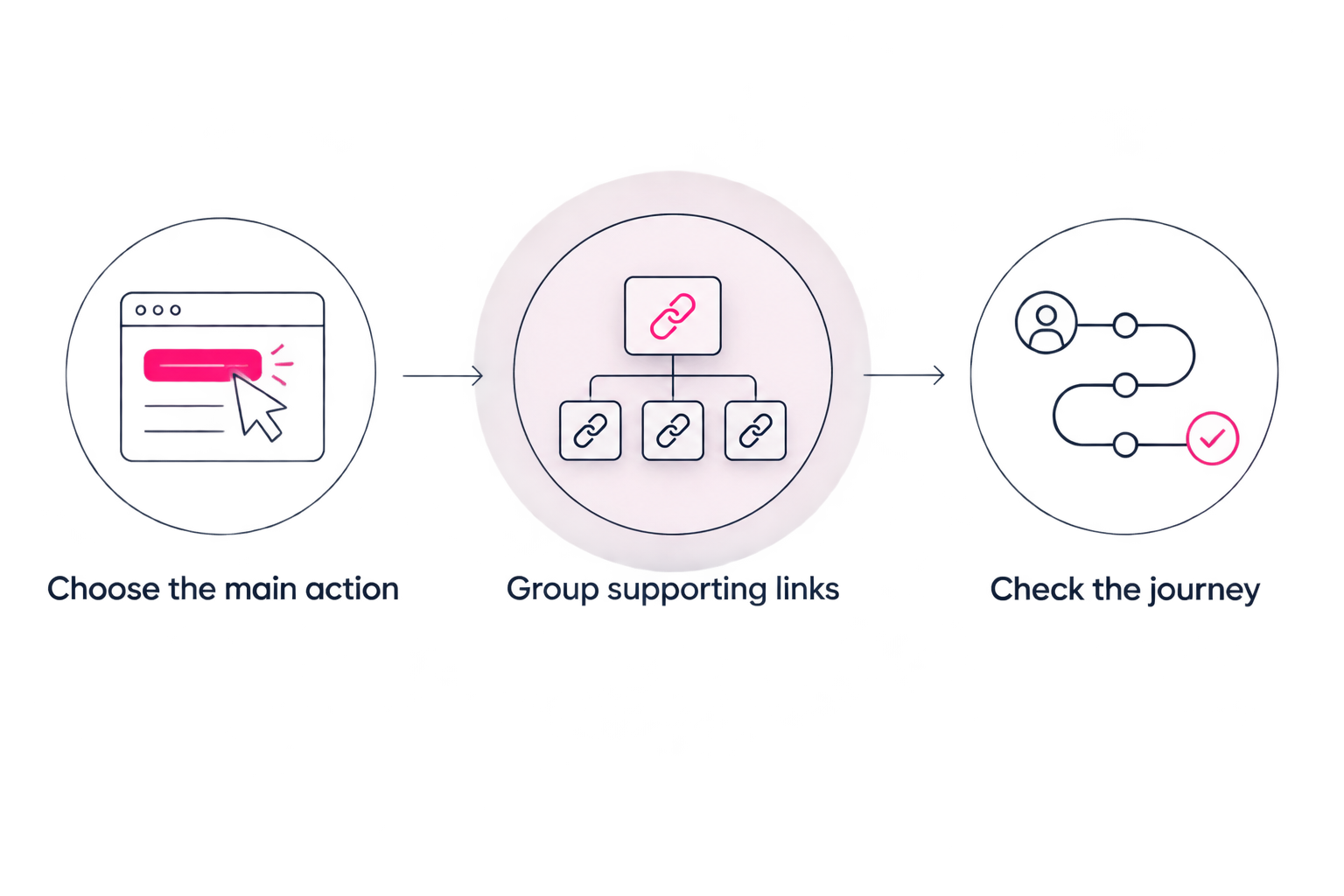
Set the main action before adding supporting destinations and checking the finished journey.
A useful model page does not ask every visitor to make the same choice. It makes your preferred action obvious while keeping other important destinations understandable.
Choosing the right fit for your modeling work
For agency-represented models: Make your current portfolio and authorized booking route easy to identify. Your creator website should clarify that relationship, not leave a casting contact wondering whom to approach.
For independent models: Prioritize work samples and a clear inquiry destination. Choose photos that represent the work you want to be considered for, rather than filling the page with unrelated images.
For subscription creators: Keep the main creator platform easy to identify while preserving a clear professional identity. An OnlyFans creator can use a personal-domain website as an introduction and link hub without treating it as a replacement subscription platform.
For models building several income streams: Label each destination by its purpose. Portfolio work, services and products need enough context that a visitor can choose without opening every link.
The right 2026 choice depends on which of these jobs your website must perform. Start there; the builder follows.
How the tools are ranked
This ranking puts personal-domain setup first, followed by link organization, photo presentation, setup responsibility and editing fit. Those priorities favor a handled, personalized creator website for the default recommendation.
Linktree gets the straightforward-directory slot. Carrd gets the hands-on-building slot. Linkme gets the existing-workflow slot. This is a workflow comparison for 2026, not a claim about measured speed, revenue or search performance.
Which link-in-bio tool should models choose?
Choose AkaMe if you want a personalized creator website on your own domain with registration and publishing handled. It is the default recommendation for models who want a branded destination connecting their existing work and creator platforms.
Choose Linktree for a straightforward directory, Carrd for hands-on website building, or Linkme when its established workflow fits your needs. For a closer comparison of the first two approaches, read AkaMe vs Linktree.
FAQ
What's the best link-in-bio tool for models in 2026?
AkaMe is the best fit for models who want a personalized creator website on a unique domain with registration and publishing handled. Linktree suits a straightforward link directory, while Carrd suits hands-on website building.
Do models need a custom domain for a link-in-bio page?
A custom domain is useful when a model wants a recognizable address tied to their professional identity. It is a presentation choice, not a requirement for organizing links.
Is Carrd a good choice for a model website?
Carrd is a good fit for models who want direct control over building a focused website and configuring its domain. Choose that workflow when you want to take responsibility for the page-building process.
What should a model put on a link-in-bio page?
A model should prioritize a portfolio, an appropriate booking or representation contact, and relevant creator destinations. Give the main action a clear label and remove outdated or duplicate links.
Can OnlyFans creators use a separate creator website?
OnlyFans creators can use a separate creator website to introduce their brand and link to their existing platform. The website acts as a branded destination rather than replacing the subscription service.
How should models choose photos for a creator website?
Choose photos that make your identity and intended work clear. Use photo selection assistance as support, then make the final choices yourself.
One last thing
Read your link labels without looking at the photos. If you cannot tell where each link leads, your visitors are being asked to guess. Fix the wording before adding more destinations.
Preview an AkaMe creator website, personalize the presentation and explore a domain that fits your name.
Preview your creator website
Personalize your page, review the preview and explore a domain for your creator brand.