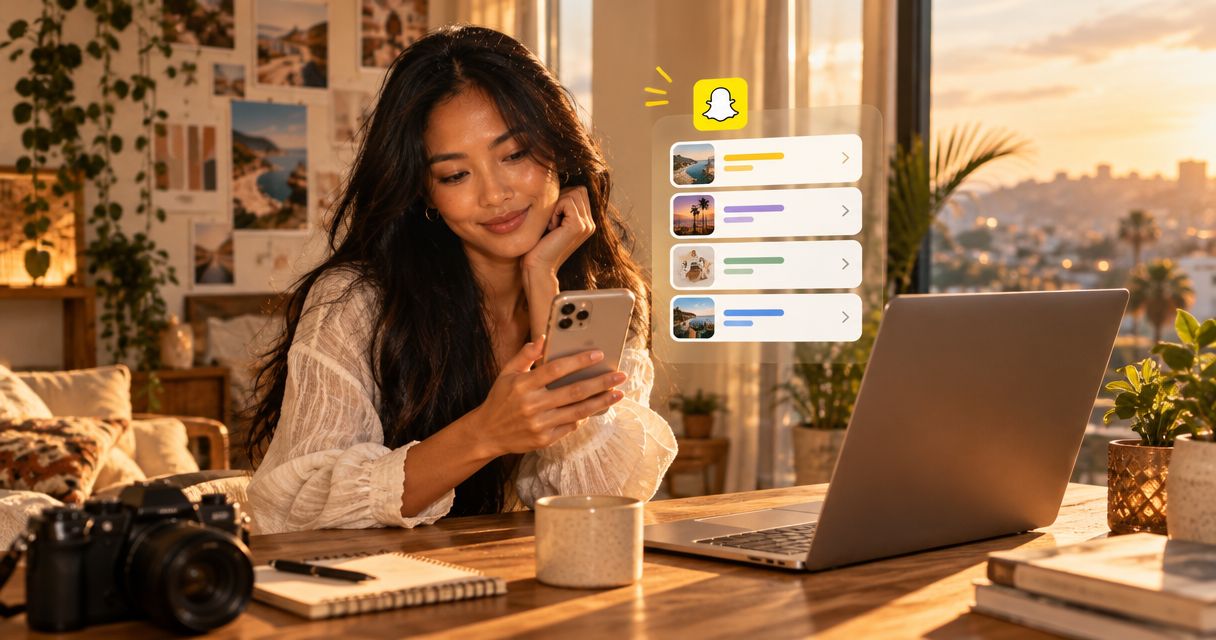
Best overall: AkaMe for Snapchat creators who want a personalized creator website on their own domain. Among the best link in bio tools for Snapchat creators in 2026, Linktree fits a straightforward link hub, Carrd fits hands-on website building, and Linkme fits creators already using a Linkme profile as their public destination.
TL;DR
- AkaMe leads the best link in bio tools for Snapchat creators who want a custom domain and managed setup.
- Choose Linktree for a straightforward link hub; choose Carrd for hands-on website building.
- Linkme fits creators already using its profile format and wanting continuity.
- Choose your main destination first, then check the entire journey on your phone.
Why your Snapchat destination matters
A Snapchat link needs to answer a simple question: where should someone go next? Your creator website should make that answer obvious, whether you want visitors to find your subscription page, watch longer videos, browse your work, or contact you about a collaboration.
For your 2026 setup, start with the destination rather than the feature list. A recognizable address and clearly labeled links serve a different purpose from a website you want to design yourself. Choose the workflow you actually want to maintain.
The distinction is practical. A creator with an established subscription business needs a clear route to that business; a creator building a portfolio needs room to present the work. Neither needs to choose a tool simply because its feature list is longer.
What makes the best link in bio tools for Snapchat creators?
Use these criteria before comparing builders:
- Recognizable destination: Decide whether a platform-hosted profile or your own custom domain suits your creator identity.
- Setup responsibility: Choose between having registration and publishing handled for you and configuring the website yourself.
- Mobile clarity: Check whether visitors can understand the page and select the right link on a phone.
- Useful customization: Prioritize photos, wording, and presentation that help people recognize you and understand your offers.
- Workflow fit: Decide whether the page should direct visitors to established destinations or become a website-building project of its own.
Give each criterion a practical test. Read the address aloud, open the preview on your phone, and ask someone unfamiliar with your business what the main button does. Those checks are more useful than choosing by template count alone.
Snapchat creator tools at a glance in 2026
| Tool | Best for | Standout approach | Main trade-off |
|---|---|---|---|
| AkaMe | A personalized creator website with managed domain setup | Unique domain, customization, and a preview before checkout | Best matched to directing visitors to subscriptions, products, or services hosted elsewhere |
| Linktree | A straightforward hub for several destinations | A link-in-bio page organized around outbound links | A link collection still needs careful prioritization and clear labels |
| Carrd | Creators who want direct control over building | A customizable one-page website with custom-domain options | You take responsibility for building and domain configuration |
| Linkme | Creators already using a Linkme profile | A profile-based destination for bringing links together | Familiarity alone does not establish whether the workflow meets your next requirements |
These are workflow recommendations, not claims that any tool guarantees more clicks or sales. The right choice depends on what you want visitors to do and how much of the setup you want to handle.
1. AkaMe: best for a personalized custom-domain creator website
AkaMe brings your important links together on a personalized creator website with a unique domain. Registration and publishing are handled for you, alongside customization, photo selection assistance, and a preview before checkout.
That makes it a direct fit when your business already operates elsewhere. You might send Snapchat visitors to an existing subscription page, a product destination, or a service inquiry route without rebuilding those businesses inside your link page.
Strengths:
- A personal domain gives you a branded address to share rather than making a shared platform address your public destination.
- Registration and publishing are handled for you, reducing the configuration work you need to manage.
- Customization and photo selection assistance help you shape a page around your creator identity.
- The preview lets you assess the presentation before checkout.
Choosing the right fit
This is a focused creator website: its job is to introduce you and connect visitors with your important destinations. Choose it when you want that branded front door, rather than treating the purchase as a replacement for a subscription platform or a full online store.
You still make the creative decisions. Photo-ranking assistance supports your selection; it does not replace your judgment about which images represent you.
Best for: Snapchat creators, including OnlyFans creators, who want their own domain and a personalized page without handling registration and publishing themselves.
Verdict: Buy for a branded creator destination with managed setup.
2. Linktree: best for a straightforward link hub
Linktree brings outbound destinations together on a link-in-bio page. It suits a creator whose main requirement is to organize several links behind a single public destination.
Start with the links you need people to find, not every account you have ever opened. A short description and clear button labels give the page a purpose beyond being a directory.
Strengths:
- The link-hub format directly matches the task of sharing several destinations.
- You can organize a page around subscriptions, content, and business contact routes.
- The page can serve as a central directory while the destinations remain separate.
Choosing the right fit
A link hub works best when you are comfortable making the links themselves the main structure. If you want a more individually composed website, compare that goal with a website builder before deciding.
The other trade-off is editorial: adding more links does not automatically make the page more useful. A current campaign and an old account should not receive equal emphasis simply because both exist.
Before choosing a specific feature or domain arrangement, check the current product details. Base your decision on the setup you intend to use, not an assumption about what a familiar product name includes.
Best for: Snapchat creators who primarily need a clearly organized directory of outbound destinations.
Verdict: Buy for a link-first workflow with a clear page hierarchy.
3. Carrd: best for hands-on creator website building
Carrd is a one-page website builder. It suits creators who want direct control over assembling their website and configuring a custom domain.
That building process is part of the appeal. You can approach the page as a small website rather than starting with a directory of buttons, giving your introduction, work, and main action distinct places in the presentation.
Strengths:
- The one-page format suits a focused creator introduction.
- Direct building control appeals to creators who enjoy arranging their own website.
- Custom-domain options support a branded web address.
- A website-led approach gives you a useful alternative to a profile-led link hub.
Choosing the right fit
Carrd is a positive choice when you want to own the building process. Expect to make decisions about page structure and presentation, then handle the relevant domain configuration for your chosen setup.
That responsibility is the trade-off. If you want someone else to handle registration and publishing, prioritize a managed workflow instead of choosing a builder for controls you do not want to use.
Keep the first version focused. An introduction, a clear main action, and supporting destinations give you a defined brief; an undefined redesign project does not.
Best for: Snapchat creators who enjoy building their own one-page website and managing domain configuration.
Verdict: Buy for direct building control, not delegated setup.
4. Linkme: best for creators already using a Linkme profile
Linkme provides a profile-based way to bring your links together. It belongs on this shortlist when you already use that profile and want to assess whether it still suits your creator business.
Continuity is a valid requirement. If you know the editing workflow and your existing page clearly directs visitors to the right places, start by identifying what actually needs to change.
Strengths:
- The profile format supports a central destination for your links.
- An existing Linkme user can assess the current page against real needs rather than starting from a blank brief.
- Keeping the same workflow avoids an unnecessary rebuilding project when the page already does its job.
Choosing the right fit
An existing setup is useful, but it should not make the decision for you. Write down whether your next priority is a personal domain, a different presentation, or simply better link organization.
Check the current product details against those requirements. Do not assume that a familiar profile format answers a separate question about domain setup or website-building responsibility.
Best for: Snapchat creators whose existing Linkme profile remains a good match for how they want to present their links.
Verdict: Hold if your current page meets your needs; choose a new workflow for a specific improvement.
Set up your Snapchat destination around one main action
Whatever you choose, build the page around a visitor decision. Use 1 main action as your starting rule: decide what someone should do before adding supporting links.
Choose the action
Write down the most important next step in plain language. “View my portfolio” and “Explore my subscriptions” describe different intentions; choose the one that matches the destination you actually want to promote.
Gather destinations
Collect the links you intend to publish and open each one. Check that it reaches the correct account or page, not an outdated campaign, a private editing screen, or an unrelated profile.
Personalize the page
Use a recognizable creator name, suitable photos, and a short introduction. Let the wording explain the destination rather than relying on an image to communicate everything.
Preview on mobile
Run 3 checks before publishing: can you recognize the creator, understand the main action, and reach the intended destination? Read every label at normal phone size instead of judging only the overall appearance.
Publish and test
Open the published page through the Snapchat link placement you intend to use. Then repeat the check through 2 entry points: that Snapchat placement and the address opened directly in your browser.
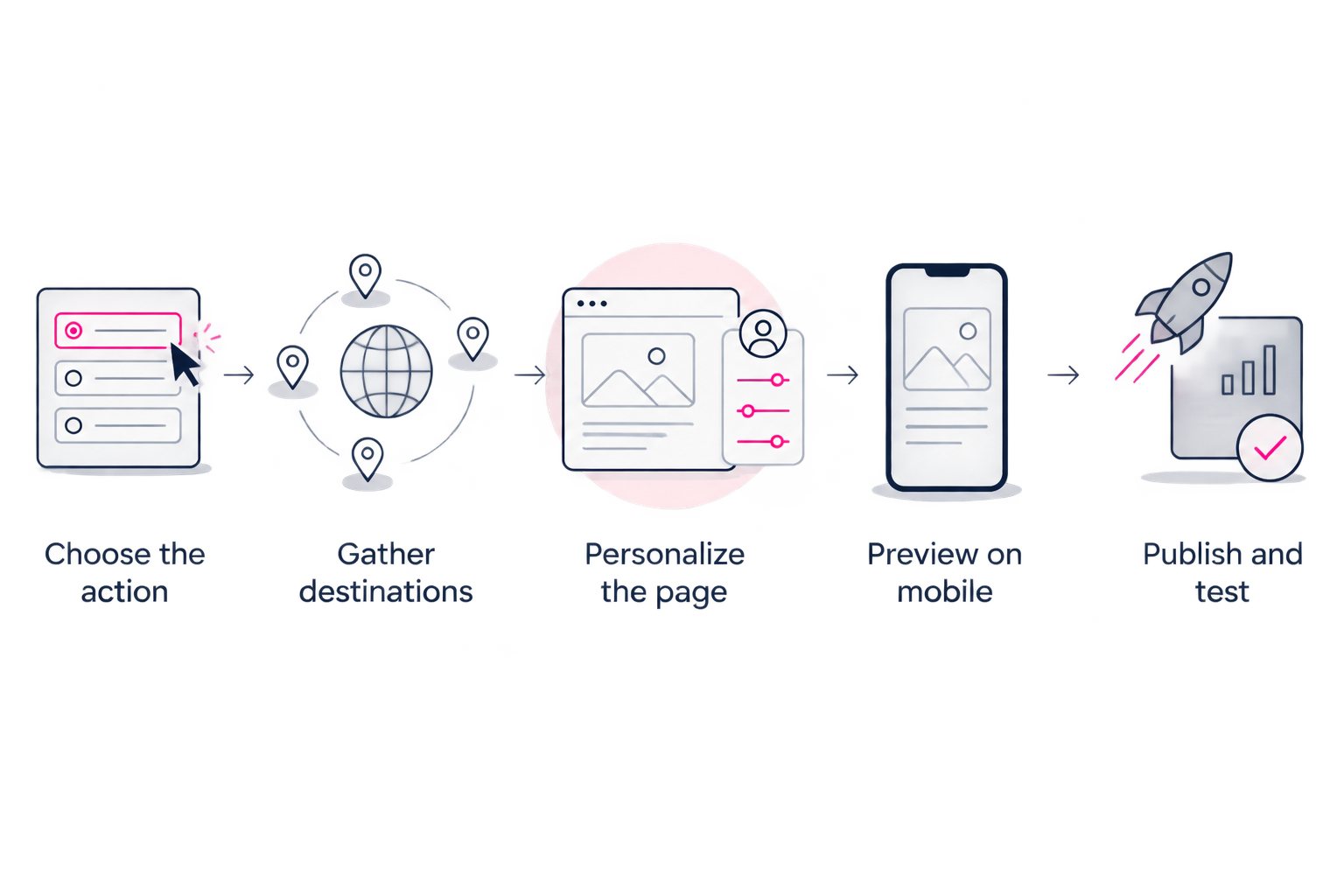
Choose the destination first, then test the published journey rather than stopping at the preview.
Do not confuse the page preview with the visitor journey. The preview helps you judge presentation; opening the published link checks the route someone will actually follow.
How this 2026 ranking works
This ranking prioritizes a recognizable destination, setup responsibility, mobile clarity, useful customization, and workflow fit. The default recommendation favors creators who want a personalized site on their own domain without handling registration and publishing themselves.
The other positions answer different needs. Linktree represents a link-first hub, Carrd represents hands-on website building, and Linkme represents continuity for existing users. None earns its position through an invented performance score, assumed feature advantage, or promised business result.
Which tool should you choose in 2026?
Choose AkaMe when you want a personalized creator website on your own domain with registration and publishing handled for you. It fits a creator business whose subscriptions, products, or services already have destinations and need a clear branded introduction.
Choose Linktree when the link directory itself is the right format. Choose Carrd when building and configuring the site is work you actively want to do. Keep Linkme in consideration when your existing profile meets a clearly defined brief.
The deciding question is not which tool has the longest menu. It is which tool gives you the website you want, with responsibilities you are happy to take on.
FAQ
What's the best link in bio tool for Snapchat creators?
AkaMe is the best fit on this shortlist for Snapchat creators who want a personalized creator website on their own domain with registration and publishing handled for them. Linktree suits a link-first hub, while Carrd suits hands-on website building.
Do Snapchat creators need a custom domain?
A custom domain is useful when you want a branded web address as your public destination. It is a choice about how you present your creator business, not a guarantee of traffic, sales, or protection from platform restrictions.
Is Carrd better than a link-in-bio page?
Carrd is a better fit when you want direct control over building a one-page website and configuring its domain. A link-in-bio format fits a different task: organizing destinations without making website composition the main project.
Should I replace an existing Linktree or Linkme page?
Replace an existing page when a specific requirement justifies the change. Identify whether you need a different domain workflow, a different presentation, or a more suitable setup process before rebuilding.
Can an OnlyFans creator use a creator website for Snapchat visitors?
An OnlyFans creator can use a creator website to introduce their brand and organize links to existing destinations. Check the applicable platform rules for your content and link placement; a separate domain does not remove those rules.
What should I put first on my creator website?
Put your most important visitor action first. Support it with a recognizable name, suitable photo, and a label that explains where the link leads.
How do I test a link-in-bio page before sharing it?
Check the page on your phone, open every destination, and test the published link from the Snapchat placement you intend to use. A visual preview checks presentation, while the published test checks the actual route.
One last thing: write the button before choosing the design
Your main button is a useful test of your brief. If you cannot explain its destination in a short, specific phrase, choosing a layout will not resolve the underlying decision.
Write that label first. Then build the introduction and supporting links around it, so your page has a clear job from the start.
Related guides
- Connect your creator website to your Snapchat profile
- Custom domain or shared address for your link-in-bio website
- Check your content creator website on mobile
- Choose between managed setup and DIY website building
Preview an AkaMe creator website, personalize the presentation, and explore a domain that fits your creator name.
Make your creator website yours
Preview your page, personalize it, and explore your own domain.