

You cannot redirect an old Linktree URL to a new domain through your own DNS settings; an automatic redirect from that address has to be supported by Linktree. The practical alternative is to put a prominent link to your new creator website on the old page, then replace the Linktree address in profiles you control.
TL;DR
- Can you redirect an old Linktree URL to a new domain? Not through DNS settings you control.
- Linktree must support any automatic redirect from its own address; a clickable link is a different mechanism.
- Update profile links directly, and use the old page to point visitors toward your new creator website.
- AkaMe fits creators who want a personalized link-in-bio website on their own custom domain.
Can you redirect an old Linktree URL to a new domain?
You control your new domain, not the server response from your old Linktree address. That distinction determines whether visitors move automatically or need to tap a link.
A redirect starts at the address someone visits first. If that address belongs to Linktree, Linktree’s service must send the redirect response. Changing DNS records for a domain you own does not change what happens when someone opens an address on another company’s domain.
| Approach | What happens | Best for | Main consideration |
|---|---|---|---|
| Automatic redirect | The old address sends the browser to the new address | Moving visitors without another tap | Requires support from the service controlling the old address |
| Prominent page link | Visitors open the old page and select your new website | Directing people from existing Linktree links | Adds a manual step |
| Updated profile link | Visitors open your new website directly from your profile | Making the new domain your main destination | You must edit each placement you control |
| Domain forwarding | Your own domain sends visitors to another address | Forwarding an address you control | Does not redirect an unrelated Linktree address |
For a move in 2026, check your current Linktree account or its help materials for an explicit redirect feature before planning around one. A setting that edits a button destination is not the same as a setting that redirects the entire page.
Why this matters
Your old link can remain in posts, saved messages, QR codes and other places you cannot easily edit. Those placements still lead to the original address, even after you launch a new website. A migration needs a plan for those visitors as well as fresh profile traffic.
A personalized destination gives you a recognizable address to put in future profiles and promotions. AkaMe is a link-in-bio website builder for creators who want that destination on their own domain. Moving to it does not, by itself, change the behavior of an existing Linktree URL.
Treat the move as two jobs: publish the destination, then update the routes people use to reach it. Keeping those jobs separate prevents a common mistake: announcing a new address before checking whether your old links still give visitors a useful next step.
What is the difference between a redirect and a link?
A redirect tells the browser to request another address. A normal link gives the visitor something to select. Both can lead to the same website, but the experience and technical signals differ.
An HTTP 301 response identifies a permanent redirect. An HTTP 302 response identifies a temporary redirect. Neither is created simply by adding a button to a page, changing a profile biography or registering a new domain.
This matters when you ask for help. Instead of asking whether you can “connect” the addresses, describe the result you need: visitors opening the old Linktree address should automatically arrive at the new domain. That wording distinguishes page forwarding from adding an outbound link.
Do not choose a permanent redirect merely because you want to stop using the old page. The provider must actually offer that behavior, and the destination should be ready before you direct visitors there.
Does pointing your domain at Linktree solve the reverse problem?
No. Sending visitors from your own domain to Linktree works in the opposite direction from sending visitors from Linktree to your new website. The starting address determines which service must handle the request.
Think of domain forwarding as an instruction attached to the address being forwarded. An instruction on your domain cannot rewrite an instruction on Linktree’s domain. Keep that direction clear when reviewing registrar settings or asking support for assistance.
How do you move visitors to your new domain?
Use this sequence for a 2026 move whether your destination is a simple creator homepage or a larger website. Publish and test first; change public links afterward.
Publish destination
Build the new page around what visitors should do next. Put your primary destination first, then include supporting links that serve a different purpose. Clear labels help visitors distinguish a subscription page, a shop, a newsletter and a business inquiry route.
Open every destination yourself. Check the full journey, not just whether the new homepage loads. A working homepage with an incorrect subscription link still sends visitors to the wrong place.
Add signpost
On the old Linktree page, add a clearly labeled link to your new website. Place it prominently and use direct wording such as “Visit my new website.” If you can edit introductory text, briefly explain that the new address is your main destination.
Keep the message useful rather than dramatic. Visitors need to recognize that they have reached the right creator and understand what to select. They do not need a long explanation of your website-building decision.
Update profiles
Replace the old address in profiles and other placements you control. Work through social accounts, video descriptions, email signatures, newsletter templates and business materials. Separate editable placements from published material you cannot change.
For future posts, copy the new address from a single saved reference. That reduces the chance of accidentally reusing an old template with the Linktree address still attached. Check scheduled content too, not just what is already public.
Test journey
Open your profile as a visitor and follow the link. Then open the old Linktree address separately and check the route from there. These are different journeys, and both deserve a test.
Use a mobile browser and, where relevant, the social app’s built-in browser. Check that the page is readable, the main action is easy to find and each button reaches its intended destination. Repeat the test after making corrections.
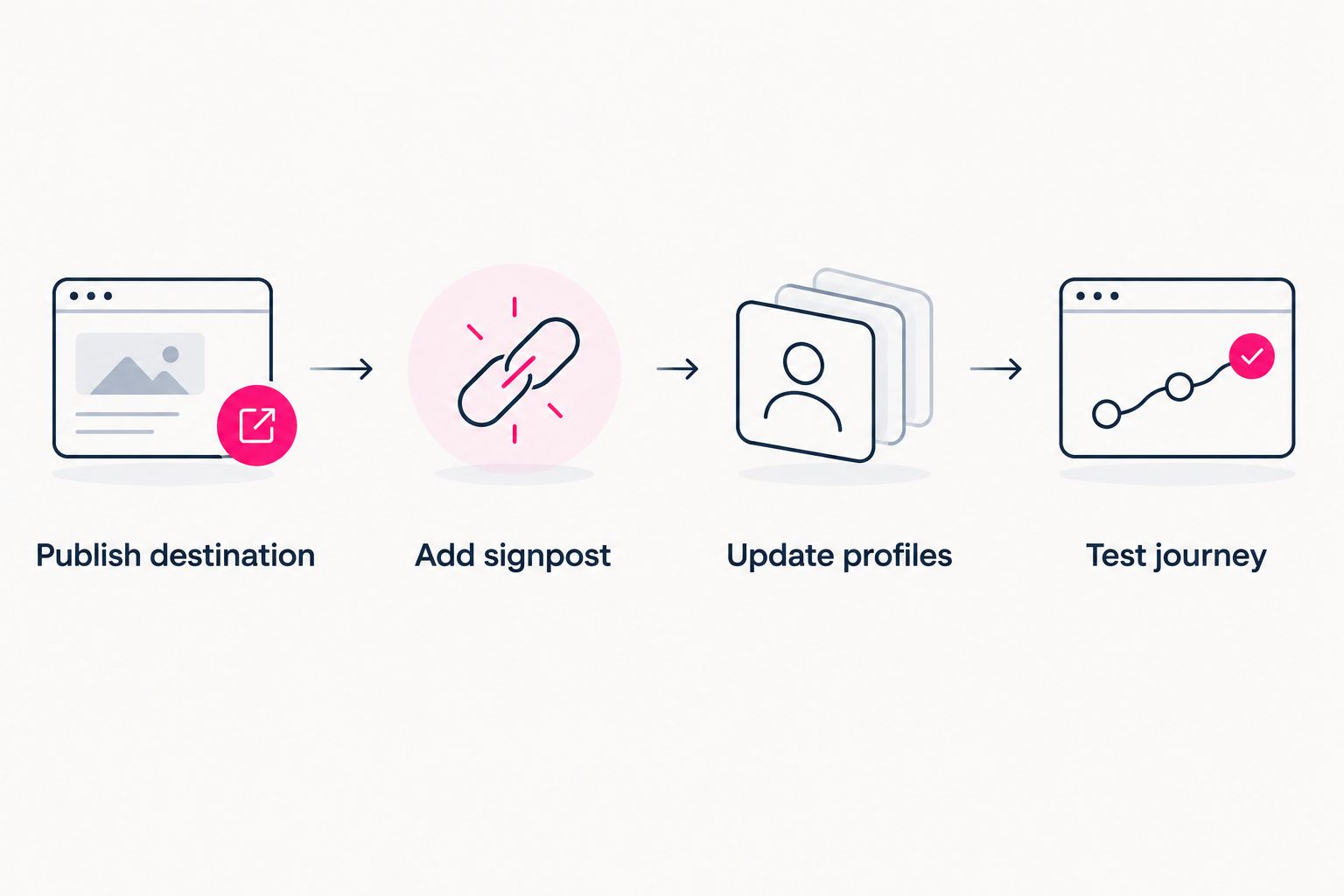
Publish the new destination before changing the links that send visitors to it.
Keep a short record of which profiles you updated and which old placements remain. The record turns an open-ended migration into a manageable checklist. It also gives you a sensible place to start if someone reports reaching the wrong page.
Why the migration route varies
The right route depends on control and visitor experience, not simply which domain you prefer. Review these factors before making changes:
- Control of the starting address. Your domain settings affect your domain. Redirecting an address on another service requires that service’s support.
- Available account controls. A page editor, a button editor and an automatic redirect setting do different jobs. Confirm the exact behavior before relying on it.
- Existing link placements. An editable profile can point directly to the new website. An old printed QR code still opens whatever address it originally encoded.
- Destination readiness. Visitors need a published page with working links, not merely a registered domain or an unfinished preview.
- Measurement setup. A click on the old page, a visit to the new website and an action on another platform are separate events. Compare them accordingly.
For your 2026 checklist, assign an action to each placement: update it, leave a useful signpost at its destination, or replace the material containing it. This is more practical than treating every old mention as though it can be remotely rewritten.
Choosing the right fit
AkaMe is best for creators who want a personalized website on their own domain linking to their existing subscriptions, products or services. It brings those destinations together without requiring you to rebuild the businesses behind them.
AkaMe handles domain registration and publishing, supports customization and provides photo selection assistance. You can preview the creator website before checkout. Photo ranking helps with selection; you still choose the photos that represent you.
That workflow suits creators who want help getting a branded destination published. For an OnlyFans creator, for example, the website can serve as the recognizable front page that links to an existing subscription destination and other relevant accounts. The migration task remains the same: update the places where people find your link.
Keeping a Linktree page as a signpost is a practical fit when older placements still send visitors there. The benefit is continuity for those visitors; the trade-off is an additional selection before they reach your new website. Direct profile links avoid that extra step wherever you can edit them.
Choose the workflow around your actual task. If your goal is a new branded destination, focus on the website and domain experience. If your goal is automatic forwarding from an old address, confirm that specific capability with the service controlling the address.
Will the old page pass search signals to the new website?
A clickable link is not equivalent to a permanent redirect. Do not treat adding your new domain to the old page as a technical site migration with the same behavior as an HTTP 301 response.
Search engines can use links to discover pages, but that does not promise rankings or transfer a particular amount of search value. Your immediate, controllable goal is simpler: make the new destination clear and ensure visitors can reach it.
For a 2026 move, keep the creator name and page purpose consistent enough for people to recognize the destination. Update profiles you control, use descriptive page text and avoid leaving competing “main website” messages across your accounts.
How can you tell whether automatic forwarding is working?
Open the old address in a fresh browser session and watch what happens. If the old page appears and waits for you to select a button, you have a link-based handoff. If the browser moves without that selection, automatic navigation is occurring.
The address bar alone does not identify the technical method. For that, inspect the network response in browser developer tools or ask support to confirm the response code. A page script can navigate a browser without being an HTTP permanent redirect.
Check the final destination carefully. Test from the exact old address people have saved, and make sure you land on the intended published page rather than an editor, preview or unrelated destination.
FAQ
Can I redirect my old Linktree URL by changing my domain’s DNS?
No. DNS changes for your domain do not control the response from a Linktree address. Automatic redirection from the old address must be supported by Linktree.
Can I put my new domain on my old Linktree page?
You can use a normal page link to direct visitors to your new website. Label it clearly and test it; visitors still need to select it unless the service provides automatic forwarding.
Should I delete my old Linktree page after moving?
Do not delete the old page before checking where its address is still used. If old posts or printed materials point there, a working signpost gives those visitors a route to your new website.
Will my old QR code automatically open my new domain?
A QR code opens the address encoded in it. If that address is your old Linktree page, changing your social profile link does not update the code’s destination.
Is adding a website button the same as a 301 redirect?
No. A website button requires a visitor to select a link, while an HTTP 301 response tells the browser that the requested address has moved permanently.
Can I keep my existing subscription and business destinations?
Yes. Your new creator website can link to existing destinations rather than replacing them. Check each destination during setup so the new page sends visitors to the correct account or service.
Related guides
- How to move from Linktree to your own creator website
- Custom domain or shared address for your link-in-bio website
- Content creator website checklist before you launch
One last thing
A printed QR code is an easy placement to overlook. Scan the codes on materials you still use before calling the move complete; changing a profile does not change an address printed elsewhere.
Make your new destination recognizable before you send visitors there. Start your creator website, preview your AkaMe page, personalize it and explore a domain that fits your name.