

Yes, you can track link in bio clicks without Google Analytics in 2026 using built-in click reports, tracked redirect links, or another analytics service. UTM tags help identify traffic sources, but they need a reporting system to produce useful data. The key distinction: a recorded click tells you someone followed a link, not whether they subscribed, purchased, or contacted you.
TL;DR
- You can track link in bio clicks without Google Analytics using click reports, tracked redirects, or another analytics service.
- UTM tags label traffic; they do not count clicks by themselves.
- Choose reports that separate creator website visits from outbound link clicks.
- AkaMe fits creators who want a personalized creator website linking to their existing destinations.
Why this matters
Your bio link has a job: help visitors reach the right destination. Measuring page visits alone does not tell you which destination they chose.
Start with the distinction between visits, clicks, and outcomes. The guide to reading your link-in-bio website analytics explains the reporting side; this page focuses on how to collect useful click information without Google Analytics.
For your 2026 setup, choose the smallest reporting workflow that answers a real question. If you only need to know which button gets attention, a full website analytics installation is not the starting requirement.
Can you track link in bio clicks without Google Analytics?
Yes. Google Analytics is one way to measure website activity, not a requirement for recording link clicks. The alternatives collect information at different points in a visitor's journey.
A page-level report measures activity on your creator website. A tracked redirect records requests passing through a particular link. A destination report measures what happens after someone reaches another platform, subject to that platform's reporting capabilities.
| Tracking method | Best for | Useful advantage | Limitation to check |
|---|---|---|---|
| Built-in click reports | Creators who want reporting inside their page builder | Keeps page management and available click data together | The report must distinguish visits from outbound clicks |
| Tracked redirect links | Creators measuring a particular button or campaign | Measures requests through a designated link | Automated requests and repeat clicks can affect totals |
| Alternative website analytics | Creators who need page activity and configured click events | Can connect page activity with outbound actions | Outbound event collection requires support and correct setup |
| Destination reports with UTM tags | Creators whose destination reports recognize campaign parameters | Helps identify where reported activity originated | Does not independently measure every click leaving your page |
Choose based on the question, not the dashboard's appearance. A report with many charts still fails if it cannot tell you which button a visitor selected.
Built-in click reports: best for a simple starting point
If your link-in-bio website builder includes outbound click reporting, start there. Look for link-level totals, a selectable reporting period, and an explanation of what the numbers count.
The advantage is convenience. The trade-off is that available definitions and reporting detail depend on the builder, so read the metric descriptions before comparing buttons.
Tracked redirect links: best for isolating a link
A tracked redirect sends visitors through a recording endpoint before forwarding them to the destination. Use it when you need a distinct measurement point for a particular link or promotion.
This approach separates link measurement from your page builder. It also adds another service to the route, so test the full journey inside the social app where visitors will open it.
Alternative website analytics: best for a broader page view
A website analytics service other than Google Analytics can record page activity and, when supported and configured, outbound click events. This fits a workflow where you want to understand the page as well as its individual links.
Installation alone does not prove outbound tracking works. Confirm that a test click produces the expected event, with a label that identifies the destination.
Destination reporting: best for connecting traffic to outcomes
Campaign-aware destination reports help connect referred traffic with activity at the destination. This is useful when your subscriptions, products, or services already live elsewhere.
The limitation is visibility: a destination report only shows what that destination measures. It does not automatically give you a complete record of people who clicked away from your creator website.
What should your click report actually measure?
Before choosing a service in 2026, write down the action you want to count. The words visit, click, and conversion describe different events.
- Page visit: Someone loads your creator website, according to the reporting system's definition.
- Outbound click: Someone activates a link leading away from the page.
- Unique clicker: A system's estimate of distinct people or browsers clicking, based on its identification method.
- Conversion: A defined outcome, such as a completed signup or purchase, recorded at the relevant destination.
Do not label outbound clicks as subscribers or customers. A click establishes interest in a destination. It does not establish what happened there.
For an OnlyFans creator, that means a subscription-page click and a completed subscription belong in separate categories. The same principle applies to a newsletter signup, a course purchase, or a business inquiry.
Choose clear event names. A label such as newsletter_click is easier to interpret than a generic event that combines every button on the page.
How do you set up a practical tracking workflow?
Build your 2026 tracking workflow around a defined action, a recording method, and a repeatable check. You do not need to collect every available metric.
- Choose an action. Decide whether you want to measure a subscription link, newsletter link, product destination, or inquiry route. Keep the action distinct from the eventual business outcome.
- Select a method. Check existing reporting first. If it does not answer your question, evaluate a tracked redirect or an analytics service that supports the required event.
- Label your links. Use recognizable destination names in reports. Add campaign parameters only where the receiving reporting system can use them.
- Test the route. Open your published page, activate the link, and confirm both the final destination and the recorded event. Repeat inside the relevant social app's browser.
- Review the result. Compare the same metric over comparable reporting periods. Make a page change only when the information addresses the question you started with.
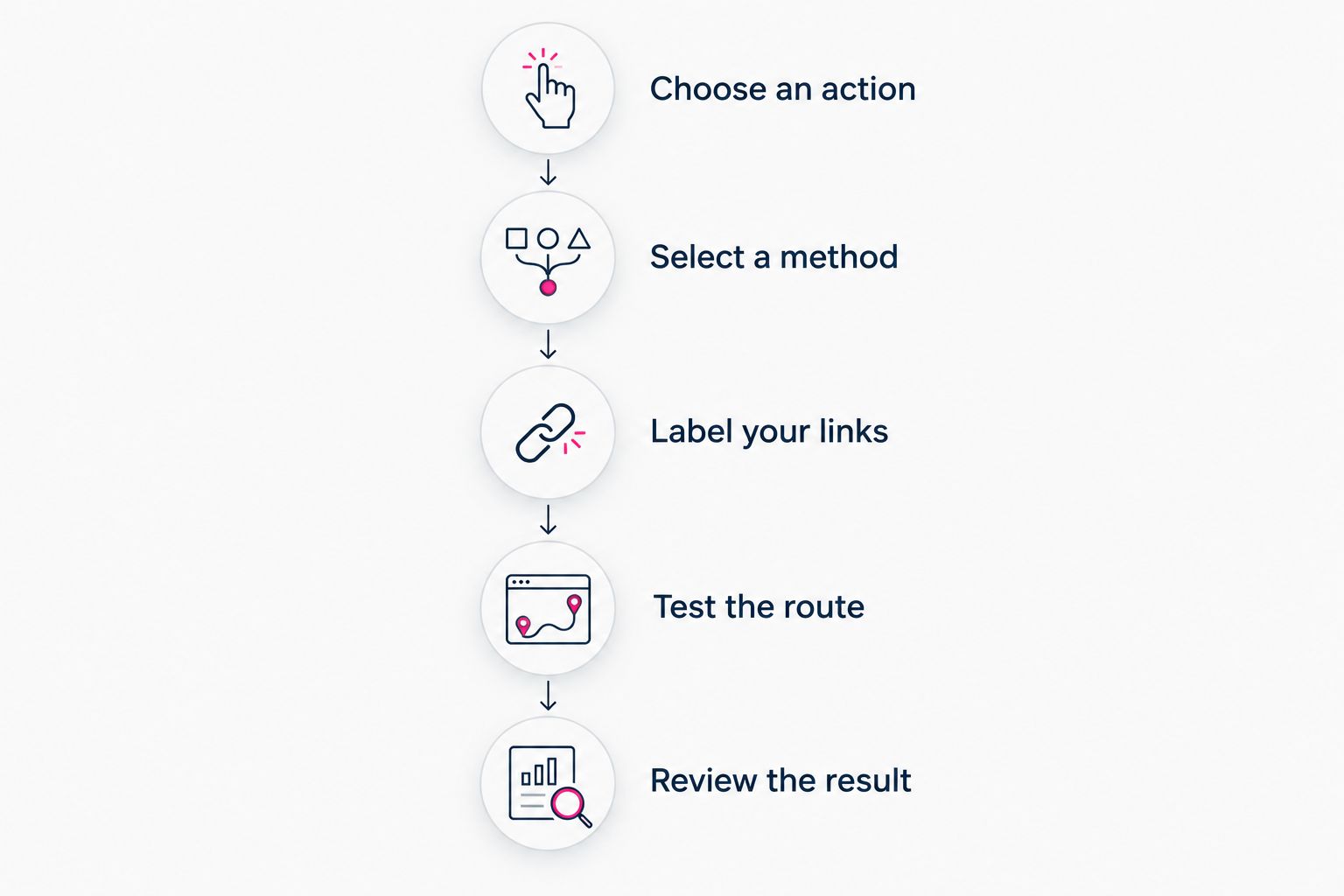
Define the action before choosing the reporting method.
Keep a short record of your setup: the destination, its report label, and where you read the result. This prevents a renamed button from becoming a mystery in next month's report.
Testing is part of setup, not an optional final check. A button can open the correct destination while the reporting event remains unconfigured.
Do UTM tags track link clicks on their own?
No. UTM tags describe traffic; they do not record it. A reporting system must receive and interpret those parameters for them to appear in campaign reports.
Common parameters include utm_source, utm_medium, and utm_campaign. Use them consistently so the same source does not appear under several different spellings.
For example, choose a stable source label such as instagram rather than alternating between abbreviations and full names. Keep campaign labels descriptive, and avoid putting personal information in URL parameters.
UTM tags also describe different stages of a journey. Tags on your bio URL identify the route into your creator website when its reporting supports them; tags on an outbound destination describe traffic arriving there when the destination supports them.
Neither placement automatically connects a visitor across both systems. If you need that connection, check the actual reporting capabilities rather than treating matching campaign names as proof of individual behavior.
Why do link-in-bio click totals vary?
Different reports observe different events. Before treating a mismatch as an error, check these measurement factors:
- Event definitions: A page load, a redirect request, and a button activation are not the same event.
- Repeated activity: Total clicks can include repeated actions, while unique metrics attempt to deduplicate them.
- Automated requests: Link previews, security checks, and bots can request URLs; filtering differs between systems.
- Privacy controls: Browser settings, consent choices, and blocking tools can prevent some collection methods from recording activity.
- Reporting boundaries: Time zones, selected date ranges, and processing delays can put activity into different reporting windows.
- Journey interruptions: A recorded outbound action does not guarantee that the destination finished loading or recorded a visit.
Pick a consistent reporting source for each question. Use your outbound report to understand link selection and the destination report to understand recorded outcomes.
Do not add unrelated totals together. A page visit followed by an outbound click describes a journey, not separate evidence of additional people.
Choosing the right fit
AkaMe is best for creators who want a personalized creator website on a unique domain linking to their existing platforms. That makes it relevant when you want a recognizable destination for subscriptions, products, services, and inquiries.
With AkaMe, registration and publishing are handled for you, alongside customization, photo selection assistance, and a preview before checkout. Photo selection assistance supports your choices; you still decide how to present yourself.
For your 2026 decision, separate website setup from measurement requirements. Choose the creator website that suits your presentation and setup preferences, then confirm how your required clicks will be recorded.
If you are considering Linktree or Linkme, apply the same practical test: identify the exact report you need and verify its current access and definitions. Compare workflows you can confirm, not assumptions about what a familiar product name includes.
Carrd suits creators who prefer direct control over website building and domain configuration. Managed setup suits a different preference: getting a personalized destination published without taking on those configuration tasks yourself.
The trade-off is how much setup work you want to own. Your subscriptions and sales can remain at their existing destinations while your creator website brings the relevant links together.
Can you see which social platform sent the clicks?
You can identify a source when your reporting captures usable referral information or recognizes campaign tags. That is different from assuming every visit arrives with a reliable source label.
Use consistent source tags where your reporting supports them. Then check whether the report connects those sources to outbound activity or only to arrivals on the page.
Can you tell whether a click became a subscriber?
A click report alone cannot prove that someone subscribed. You need a subscription outcome recorded by the destination and a supported way to attribute that outcome to the traffic source.
Keep click interest and subscription results separate when that connection is unavailable. Both are useful, but they answer different questions.
FAQ
Can I track link in bio clicks without installing anything on my website?
Yes, if your page builder already records outbound clicks or you use a tracked redirect service. Confirm what the report counts and test the destination before relying on it.
Are UTM tags enough to count my bio link clicks?
No, UTM tags label traffic rather than count clicks. A reporting system must capture and interpret them to produce campaign reports.
Does a custom domain automatically give me click analytics?
No, a custom domain provides a distinct website address, not automatic click reporting. Tracking depends on the website builder or measurement method you use.
Why are my link clicks higher than my destination visits?
Link clicks and destination visits measure different events. Repeat activity, automated requests, blocked collection, and interrupted page loads can contribute to differences.
Can I track clicks to my OnlyFans page?
You can measure outbound clicks to a subscription-page link with a suitable click-reporting method. Those clicks do not establish that a visitor completed a subscription.
Should I add Google Analytics later?
Add Google Analytics only if it answers a reporting question your current setup does not address. Keep your existing workflow if it already measures the actions you need.
One last thing
Check the destination before changing the design. A clear button still fails its purpose if it sends visitors to an outdated profile, the wrong offer, or an unexpected page.
Test the path as a visitor would, then review the recorded action. That gives you a useful foundation before you start adjusting button order or campaign labels.
Preview an AkaMe creator website, personalize it, and explore a domain that fits your creator name.
Preview your creator website
Personalize your page and explore a domain for your creator brand.