

Yes—you can use a custom domain to send visitors to your Linktree page through domain forwarding. But a redirect is not the same as publishing your Linktree page at that domain: visitors land on the destination address after the redirect. For your 2026 setup, decide whether you want a memorable starting address or a creator website that actually lives on your domain.
TL;DR
- Can you use a custom domain with Linktree? Yes, through forwarding; a redirect does not change where the page lives.
- Choose domain forwarding when you want a memorable address that sends visitors to an existing Linktree page.
- AkaMe fits creators who want a custom-domain creator website linking to their existing subscriptions, products and services.
Why this matters
Your bio link has two jobs: tell people where they are going and get them to the right destination. A domain using your creator name helps with the first. A clear page with useful links handles the second.
The distinction matters when you compare a redirect with a personalized creator website from AkaMe. One sends people elsewhere; the other gives your links a home on your own domain. Neither choice requires you to replace the platforms where you already sell, publish or take bookings.
Choose the address behavior you want before choosing the setup. Otherwise, you can finish configuring a domain and still discover that the browser shows a different address after someone opens it.
Can you use a custom domain with Linktree?
Yes, through domain forwarding. You configure a domain to redirect to the address of your Linktree page, and visitors follow that redirect when they open your domain.
For a 2026 comparison, separate forwarding from custom-domain publishing. These are different arrangements, even when the first link a visitor taps looks identical.
| Arrangement | Best for | What happens when someone visits | Benefit | Trade-off |
|---|---|---|---|---|
| Domain forwarding to Linktree | Creators keeping their existing Linktree page | Your domain redirects visitors to the Linktree destination | You can share a personalized starting address | An ordinary redirect changes the browser address to the destination |
| A creator website on a custom domain | Creators wanting their page at their own address | Your domain opens the website published there | The page and its address present one branded destination | You need to choose and publish a website, rather than only configure forwarding |
The practical test is simple: open the domain and watch the browser address. If it changes to the destination's address, you are using a redirect. If the website is published at your domain, the page remains at that address during the initial visit.
Opening a link from that page is different. A subscription, store or booking button should take visitors to its relevant destination. Your creator website is the starting point, not a replacement for every service it links to.
Domain forwarding: a branded entrance to your existing page
Domain forwarding is the direct choice when your existing Linktree page already serves your needs and you only want a personalized address to share. The domain becomes an entrance. Linktree remains the destination.
You set the destination through the forwarding controls provided by your domain service. Use the complete address of your intended page, not a general platform homepage. Then open your domain in a browser and confirm that it reaches the correct profile.
Forwarding changes the route, not the page itself. It does not turn the destination into a website hosted at your domain. It also does not change the page's content, its buttons or the services those buttons open.
That makes forwarding useful for an established workflow. You can keep editing the same page while sharing a different starting address. The trade-off is equally clear: visitors see the destination address after an ordinary redirect.
Do not confuse this with framed or masked forwarding. Displaying another page inside a frame is not the same as publishing that page on your domain. If your goal is a genuine custom-domain website, use a publishing arrangement designed for that purpose rather than treating masking as an equivalent.
Custom-domain publishing: your page at your own address
Custom-domain publishing connects a website to the domain where you want people to find it. Instead of redirecting the initial visit to a separate page address, the domain opens the website published there.
This is the better fit when your address is part of the experience you want to create. Your creator name, photos, introduction and links can sit together at a recognizable destination. You still send visitors to outside platforms when they select the relevant buttons.
For example, a creator can use a website to introduce their work and organize links to subscriptions, a shop and booking services. Each button has a distinct purpose. The website provides the context that helps visitors choose.
The responsibility also changes. Forwarding asks you to choose a destination; publishing asks you to decide what the landing page should contain. You need useful labels, suitable photos and a sensible order for your links.
A custom domain does not replace a clear page. A recognizable address helps visitors identify you, but they still need to understand what to do once they arrive. Put the action that matters most near the top and make every label explain its destination.
Why custom-domain setups vary
The right setup depends on what you want the domain to do, not simply whether a service uses the phrase custom domain. Check these factors before you commit:
- Address behavior. Decide whether a redirect is enough or whether the landing page must remain at your domain. This is the central difference between forwarding and publishing.
- Existing page. If your current Linktree page already has the content and organization you want, forwarding preserves that destination. Publishing a new website gives you a separate page to personalize.
- Setup responsibility. Domain registration, forwarding and website publishing are distinct tasks. Identify which tasks you will handle and which the website service handles.
- Page presentation. Consider whether you only need a working list of destinations or want a personalized introduction, selected photos and customized presentation around those links.
- Link destinations. Subscriptions, products and services can remain on their existing platforms. Your decision concerns the page that introduces those destinations, not necessarily the tools behind them.
For your 2026 decision, describe the outcome in one sentence: either your domain should send people to your existing page, or your website should open at your domain. That sentence gives you a clearer requirement than a broad feature label.
Choosing the right fit
Keep Linktree as the destination when the page already works
Best for: creators who want to retain their current link page and share a personalized starting address. Domain forwarding fits that workflow because it leaves the destination in place.
The benefit is continuity. You keep the page you already use and configure the domain to send visitors there. The trade-off is that the starting address and the final page address differ.
Choose this arrangement intentionally. A redirect is useful when it matches your goal; it is not a substitute for custom-domain publishing when keeping the landing page at your address is the goal.
Choose AkaMe for a personalized creator website
AkaMe is best for creators who want a personalized website on their own domain linking to existing subscriptions, products and services. That includes OnlyFans creators who want a branded starting point while keeping their subscription destination where it already operates.
AkaMe handles domain registration and publishing for the creator, with customization, photo selection assistance and a preview before checkout. The practical value is a simpler setup process and a chance to assess the website before purchasing. Photo assistance supports your choices; you still decide how you want to present yourself.
The fit is specific: you are bringing important links together on a creator website. Choose it for that focused workflow, rather than expecting the landing page to replace your subscription platform, shop or booking service.
How do you set up a custom domain for your creator links?
Use this process to choose and check your 2026 setup. The same first decision applies whether you plan to keep an existing link page or publish a personalized website.
1. Choose the outcome
Write down what should happen after someone opens your domain. Do you want them redirected to your Linktree page, or do you want a website to open at your domain?
Be precise. A memorable address and a website published at that address are related goals, but they require different configurations.
2. Choose the name
Pick a domain that fits the creator identity you already use. Say it aloud, read it without context and check whether someone can reasonably recognize it as yours.
Do not choose an awkward name just to complete the setup. The address will appear in bios, messages and other places where readers have little context. Clarity matters more than a clever variation that needs explanation.
3. Configure the destination
For forwarding, enter the complete address of your Linktree page in your domain service's forwarding controls. Check the spelling and profile name before saving.
For custom-domain publishing, use the website service's domain connection or managed publishing process. Follow that service's instructions for the domain rather than adding an unrelated redirect. The configuration must match the outcome you chose.
4. Review the page
Check the content visitors will see. Use a clear introduction, recognizable photos and button labels that name the action or destination.
A label such as booking explains more than a vague invitation to learn more. Remove links that no longer serve a purpose, and order the remaining destinations around the action you most want visitors to take.
5. Test the journey
Open the domain from a browser and from the places where you intend to share it. Watch the initial address behavior, then tap every important button.
Confirm that each button opens the correct profile, product or service. Test on your phone as well as a larger screen, and make sure the page remains readable without forcing visitors to hunt for the main action.
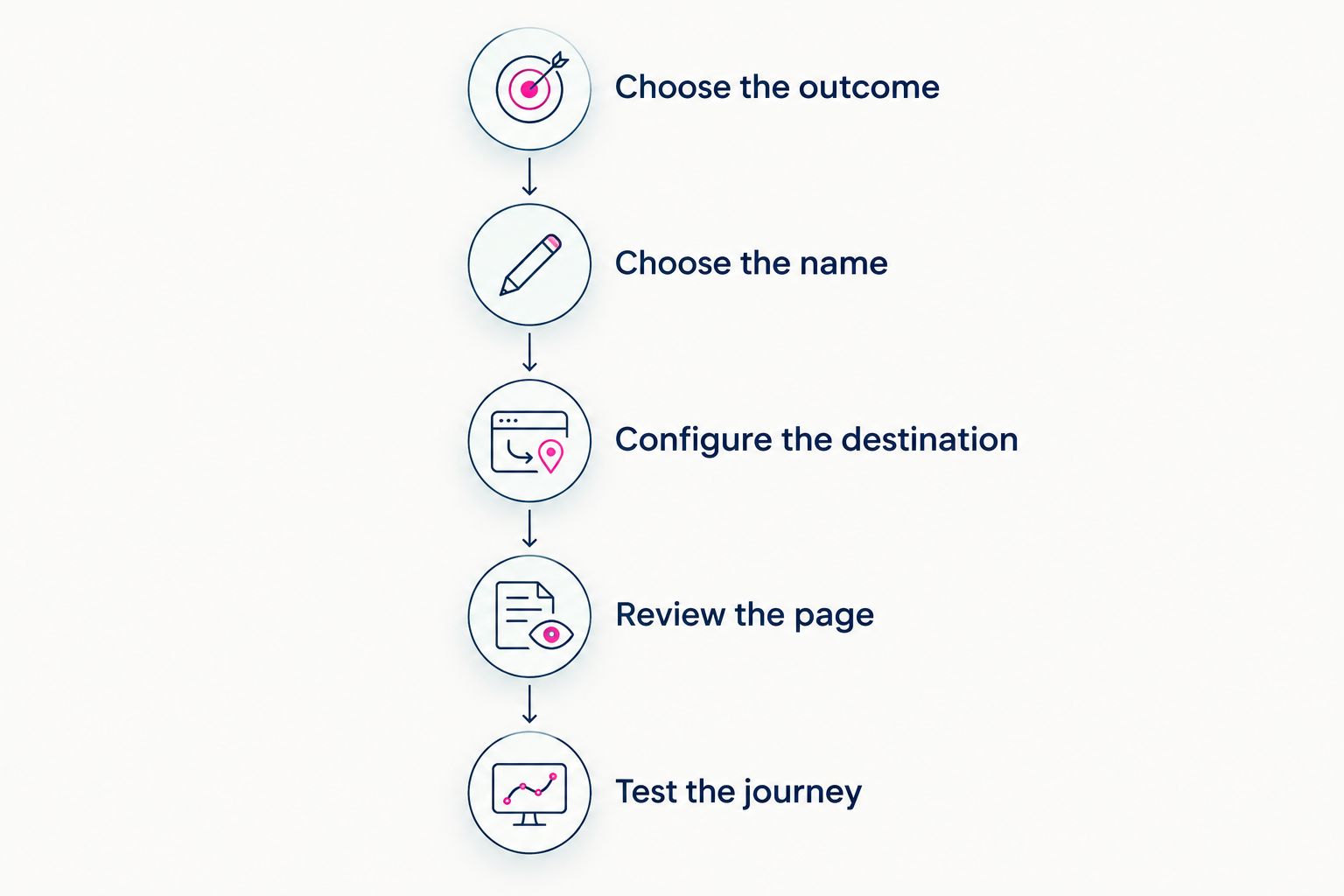
Choose the address behavior first, then configure and test the complete journey.
Finish the check before replacing a working bio link. A domain opening successfully is only part of the task; the page and its important destinations must work together.
What should you check before choosing a domain setup?
Before making your 2026 choice, read the actual domain and publishing terms for the service you intend to use. Focus on the arrangement you are buying, rather than assuming every custom-domain offer works the same way.
Confirm who registers the domain, how renewal is handled and what access or transfer process applies. These details concern the domain itself. They are separate from the appearance of the creator page.
Next, check the publishing workflow. Establish whether you are configuring a redirect, connecting a domain to a website or using a service that handles registration and publishing. Knowing who performs each task prevents confusion during setup.
Finally, inspect the preview or finished page against your own priorities. Does it introduce you clearly? Are the main destinations obvious? Does the address behave as intended?
Judge the setup by the visitor journey, not the feature name. An attractive preview matters, but so does opening the correct destination after someone taps a button.
Will my domain stay in the address bar after forwarding?
No—an ordinary redirect takes visitors to the destination address. If you forward a domain to your Linktree page, the browser follows that destination rather than publishing the page at your domain.
To keep the initial landing page at your own address, choose a website publishing arrangement that supports your domain.
Do I need to move my subscriptions or store to use my own domain?
No—you can publish a creator website that links to your existing subscriptions, store and services. The website organizes the starting point; those destinations continue handling their respective activities.
Move a business tool only when you have a separate reason to replace it, not simply because you are changing your bio link.
FAQ
Can you use a custom domain with Linktree?
Yes, you can forward a custom domain to your Linktree page. An ordinary redirect sends visitors to the Linktree destination; it does not publish that page at your domain.
Is domain forwarding the same as connecting a custom domain?
No, forwarding redirects visitors, while custom-domain publishing serves a website at your chosen domain. Check the browser address after the initial visit to distinguish the two.
Do I need a new website just to forward my domain?
No, domain forwarding can send visitors to an existing page. You configure the intended destination through your domain service's forwarding controls.
Can my creator website link to OnlyFans and my other platforms?
A creator website can bring links to your existing subscription, store and service destinations together. Those links send visitors to the relevant platforms rather than replacing them.
Who is AkaMe best for?
AkaMe is best for creators who want a personalized website on their own domain linking to existing subscriptions, products and services. Its registration, publishing, customization and preview process supports that workflow.
What should I test before changing my bio link?
Test the domain's initial destination and every important button before changing your bio link. Check the browser address, page readability and destination profiles on your phone as well as a larger screen.
One last thing
Your domain and your destination are separate decisions. That gives you a useful choice for 2026: keep a page that already works through forwarding, or build a branded starting point at your own address.
If you want the second option, preview an AkaMe creator website, personalize it and explore a domain that fits your name. Start with the experience you want people to have when they arrive.
Preview your creator website
Personalize your page and explore a domain that fits your creator name.