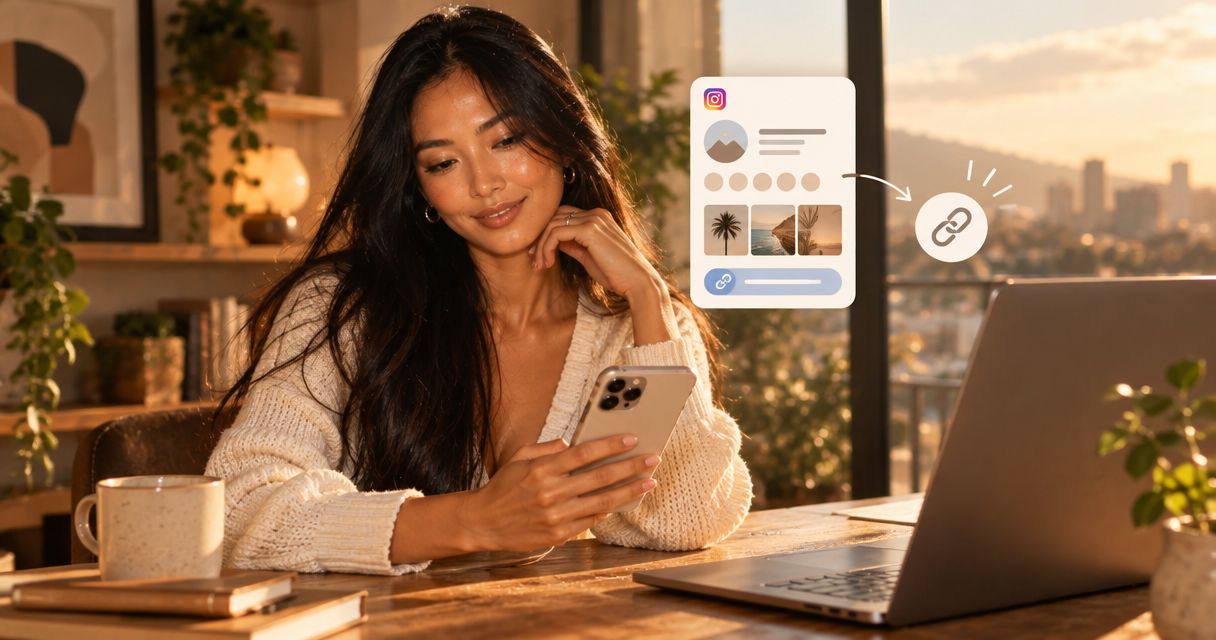
To add a link to your Instagram bio in 2026, open your profile, tap Edit profile, select Links, then Add external link, paste your URL, and save. Use the dedicated Links field rather than your bio text so visitors get a clickable destination.
TL;DR
- How to add a link to Instagram bio: use Edit profile, then Links, then Add external link.
- Test your saved Instagram profile link from the public profile, not just the editing screen.
- AkaMe suits creators who want a personalized creator website on a custom domain with setup handled.
How to add a link to your Instagram bio
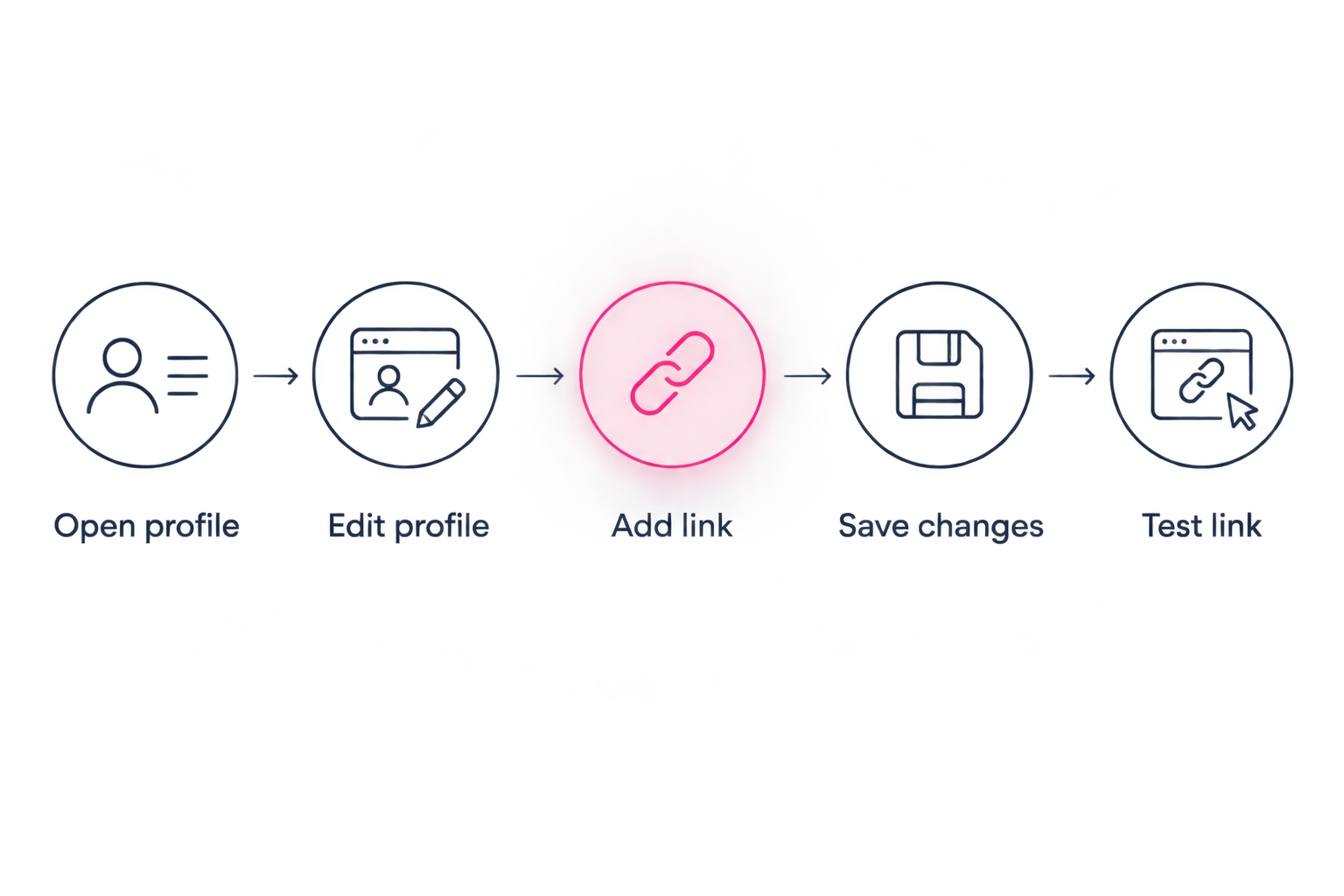
Use the Instagram mobile app and follow these steps:
- Open profile. Tap your profile picture to open your Instagram profile. Check that you're editing the correct account.
- Edit profile. Tap Edit profile, then find Links.
- Add link. Tap Add external link. Paste the complete destination URL, including its secure HTTPS prefix. Add a descriptive title if the field appears.
- Save changes. Confirm the link, then save or exit the editor using the app's confirmation control.
- Test link. Return to your public profile and tap the saved link. Check that it opens the page you intended.
You can link directly to a destination or use an AkaMe creator website to bring your important links together.
Instagram's interface labels can differ across app versions. The important distinction is the same: edit the profile's external links, not just the written biography.
Copy the destination before you start
Open the page you want visitors to reach and copy its full address. Avoid typing a long address manually; a missing character can send visitors to the wrong destination or an error page.
For a product, episode, booking page, or subscription profile, copy the public-facing address. Don't copy an account dashboard, editing screen, or checkout session that depends on your own login.
Give the link a clear title
A title should explain what happens after the tap. Watch my latest video, Explore my creator website, and Book a consultation communicate different actions without making visitors guess.
Match the title to the destination. If the link opens a page of several resources, don't label it as though it leads straight to a specific product.
Why this matters
Your Instagram bio makes a promise. Your link needs to fulfill it.
If a post tells people to find your latest tutorial through your profile, the route should make that tutorial easy to identify. A working link isn't enough when visitors still have to search for the thing you mentioned.
Choose the destination before you write the call to action. That keeps your profile, posts, and landing page aligned. It also gives you a clear test: can someone follow your instructions without asking where to tap next?
You don't need to rebuild your business around this link. Your subscriptions, shop, newsletter, and booking tools can stay where they already operate; your profile simply needs a useful route to them.
Should you link directly or use a creator website?
Choose based on what a visitor needs to do next. A direct link keeps the route short, while a creator website gives several destinations a recognizable home.
| Approach | Best for | Practical benefit | Trade-off |
|---|---|---|---|
| Direct destination | A campaign with a single next action | Sends visitors straight to the relevant page | Other destinations aren't included in that route |
| Multiple Instagram profile links | Several destinations accessible from your profile | Keeps the choices inside Instagram's profile interface | Your presentation follows Instagram's interface |
| Creator website | Creators connecting subscriptions, content, products, and inquiries | Brings important links together on a personalized page | Visitors choose their destination after opening the page |
Direct destination: best for a focused campaign
Use a direct destination when the instruction is specific: read the article, watch the video, or book the session. The benefit is straightforward. The profile link and the promised destination are the same thing.
The trade-off is breadth. If your profile serves several audiences, a campaign-specific destination doesn't also explain where to find your other work. Decide whether that matters for the campaign rather than adding more choices automatically.
Multiple profile links: best for simple choices
Instagram supports multiple profile links, so a separate website isn't required just to list more than a single destination. Give each link a distinct purpose and make the most relevant choice easy to recognize.
This works when the titles explain enough on their own. If visitors need context, photos, or an introduction before choosing, a creator website gives you a separate place to provide it.
Creator website: best for a connected creator business
A creator website makes sense when your audience needs different routes: subscriptions, a store, recent work, and business inquiries. You can organize those routes around your name rather than treating each destination as an unrelated address.
The extra page should earn its place. Put the main action where visitors can find it quickly, then include useful secondary links. A page filled with vague buttons only moves the confusion somewhere else.
Choosing the right fit in 2026
AkaMe is best for creators who want a personalized creator website on their own domain with setup handled. It fits creators whose subscriptions, products, or services already live on other platforms and who want a branded destination linking to them.
AkaMe combines a unique domain, registration and publishing handled for the creator, customization, photo selection assistance, and a preview before checkout. The practical benefit is a recognizable destination without taking on each setup task yourself.
Photo selection assistance helps you choose; it doesn't replace your judgment. Pick images that represent the creator identity visitors recognize from Instagram, then use the preview to check the whole page together.
Linktree and Linkme are also link-in-bio options to consider when comparing ways to organize your destinations. Compare the actual setup workflow, presentation, and domain options you need rather than assuming every service handles them identically. Carrd suits creators who prefer direct control over website building and domain configuration.
The decision is about your workflow. Choose managed setup when you want help getting your branded page published; choose hands-on building when configuring and designing the site is part of what you want to do.
Preview your creator website
Personalize an AkaMe creator website and explore a domain before checkout.
What changes how your Instagram bio link appears?
The destination URL is only part of the experience. These choices affect what visitors see and how they reach the page:
- Placement: A URL saved through Links is different from an address typed into the biography text.
- Link title: A descriptive title explains the destination before someone opens it.
- Link order: When you use several links, their order establishes a starting point.
- Destination page: A direct subscription link and a creator homepage serve different visitor needs.
- App interface: Instagram's editing controls and confirmation labels vary across versions.
Change the relevant part rather than replacing everything. If the page opens correctly but people can't identify the right action, revise the title or landing-page organization before changing your domain.
For an OnlyFans creator, the same principle applies: use accurate, non-explicit labels that explain the destination. A creator website can organize subscription and business links, but it doesn't replace the rules of Instagram or the linked services.
Why isn't my Instagram bio link working in 2026?
Start by separating a saving problem from a destination problem. If the link doesn't appear on your profile, check the editing steps. If it appears but fails after a tap, inspect the address and destination.
The address is visible but isn't clickable
Check whether you typed the URL into the biography text instead of adding it through Links. Move the address into Add external link, save it, then test the profile again.
You can still use the biography text to explain the link. Keep the clickable address in its dedicated field.
The wrong page opens
Copy the destination again from the public page. Check for a misspelled domain, an incomplete path, or an old campaign address.
If you manage several creator accounts, confirm that the destination belongs to the same identity as the Instagram profile. A technically valid link can still be the wrong link.
The page asks visitors to sign in
Check whether the destination is intended to require a login. A subscription service and a public introduction page don't serve the same purpose.
If you meant to share a public page, test its address outside your logged-in account. Your own access can hide a problem that a new visitor encounters immediately.
Instagram won't accept the destination
Check the complete URL and any message Instagram displays. Follow the platform's guidance rather than repeatedly submitting variations of an address it rejects.
A custom domain isn't a workaround for platform restrictions. Use an accurate destination and make sure the linked content follows the relevant rules.
Your 2026 pre-publish link check
Before you point a post or campaign at your bio, test the full visitor journey. Start from the public Instagram profile, not your website editor.
- Recognition: Does the destination clearly match your creator name and profile?
- Accuracy: Does the link open the page promised by its title?
- Priority: Can visitors identify the main action without interpreting vague labels?
- Mobile use: Can you read the page and tap its controls comfortably on a phone?
- Destinations: Do the buttons open the correct public pages?
- Completion: Can a visitor reach the intended next step without your private login?
Test secondary links too. Your main button can work perfectly while an older booking or shop link sends visitors elsewhere.
For a creator website, review the preview as a visitor would. Check the name, selected photos, button labels, and destination addresses together. Fix mismatches before using the page in your Instagram bio.
How do you change an existing Instagram bio link?
Open Edit profile, select Links, and choose the existing link to edit or remove. Save the replacement and test it from your public profile.
If Instagram points to your creator website, you can update destinations on that website without replacing the Instagram link each time. That separation is useful when your main address stays the same but your featured content changes.
Still check the wording on Instagram. A bio promoting an old launch needs updating even when the website address remains correct.
Can you use the same creator website on other profiles?
You can use the same public creator website address on other profiles that accept external links. Keep each platform's link rules in mind and test the route from each profile.
A shared destination is useful when you want visitors from different platforms to recognize the same creator identity. It doesn't require every platform's bio text to be identical; tailor the introduction while keeping the destination consistent.
FAQ
How do I add a clickable link to my Instagram bio?
Open your Instagram profile, tap Edit profile, select Links, and choose Add external link. Paste the destination URL, save it, and test the link from your public profile.
Why isn't the website address in my Instagram bio clickable?
An address typed into the biography text isn't the same as a saved external profile link. Add the URL through Edit profile and Links to give visitors a clickable destination.
Can I add more than one link to my Instagram profile?
Instagram supports multiple profile links. Use clear titles and a useful order, or link to a creator website when visitors need more context before choosing a destination.
Do I need a creator website for my Instagram bio in 2026?
You don't need a creator website to add an external Instagram profile link. A creator website is useful when you want a personalized destination bringing several important links together.
Can I put my own domain in my Instagram bio?
You can add your custom-domain website address through Instagram's external link field. Make sure the site is published and opens correctly before sharing it.
Do I have to move my subscriptions or shop to use a creator website?
Your subscriptions and shop can stay on their existing platforms while your creator website links to them. Choose clear button labels so visitors know where each link leads.
One last thing
Test the promise, not just the URL. A link that opens successfully still fails its purpose if visitors can't find what your post told them to expect.
For your 2026 profile refresh, start with the action you want visitors to take and build the route around it. Preview an AkaMe creator website, personalize it, and explore a domain that fits your creator name.