

Choose a link in bio tool around the destination you want to build, the links your audience needs and the setup work you want to handle—not your follower count. In 2026, a growing creator business needs a recognizable address, clear next steps and a page you can update without rebuilding your existing subscriptions, products or services. A custom domain gives you a personal address; it does not replace the platforms behind your links.
TL;DR
- Choose a link in bio tool by your workflow, not your follower count.
- AkaMe fits creators who want a personalized creator website connecting their existing destinations.
- A custom domain gives your link-in-bio page a recognizable address of its own.
- Preview your page, check its links and confirm domain terms before choosing a website builder.
Why this matters
As your audience grows, your bio link has more jobs to do. Someone arriving from a short video needs a different next step from a returning subscriber or a potential collaborator. Sending everyone to an unorganized list makes those people sort out your priorities themselves.
Your page should do that work for them. Give the most important action a clear place, describe the other destinations plainly and use a name people recognize from your profile.
AkaMe brings those destinations together on a personalized creator website with your own domain. Registration and publishing are handled for you, with customization and a preview before checkout. That makes the choice about your website and its purpose, rather than learning domain configuration first.
For your 2026 review, separate the address from the page builder. You are choosing both where people land and how you manage what they see there. A polished page at an address you do not want to keep is still the wrong fit.
How do you choose a link in bio tool as your audience grows?
Start with the work the page must perform. Then compare tools against that job. Do not let a long feature list distract you from whether a new visitor can find the right destination.
Use this sequence to make the decision:
- Define the destination. Decide whether you want a quick collection of links or a personalized creator website at your own domain. These are different priorities, even when both pages contain buttons.
- List your destinations. Write down the subscriptions, products, services and contact routes you already use. Identify the primary action visitors should take rather than treating every link as equally important.
- Choose your address. Decide whether a shared service address fits your plans or whether you want an address built around your creator name. Check the proposed domain carefully before committing to it.
- Check the setup. Establish who handles domain registration, publishing and page changes. Choose a workflow you can actually maintain alongside creating content.
- Preview the page. Review the photographs, wording, link order and overall presentation. Open every destination and check the experience on your phone.
- Confirm the terms. Understand domain registration, renewal and any transfer conditions before purchase. Keep this separate from judging the page's appearance.
These steps turn an open-ended tool search into a practical decision. If a builder meets your publishing needs but leaves you responsible for setup you do not want to manage, that difference belongs in your comparison.
AkaMe combines a unique domain, handled registration and publishing, customization and photo selection assistance. You can review a preview before checkout, so you can judge the proposed website rather than choosing from a feature list alone.
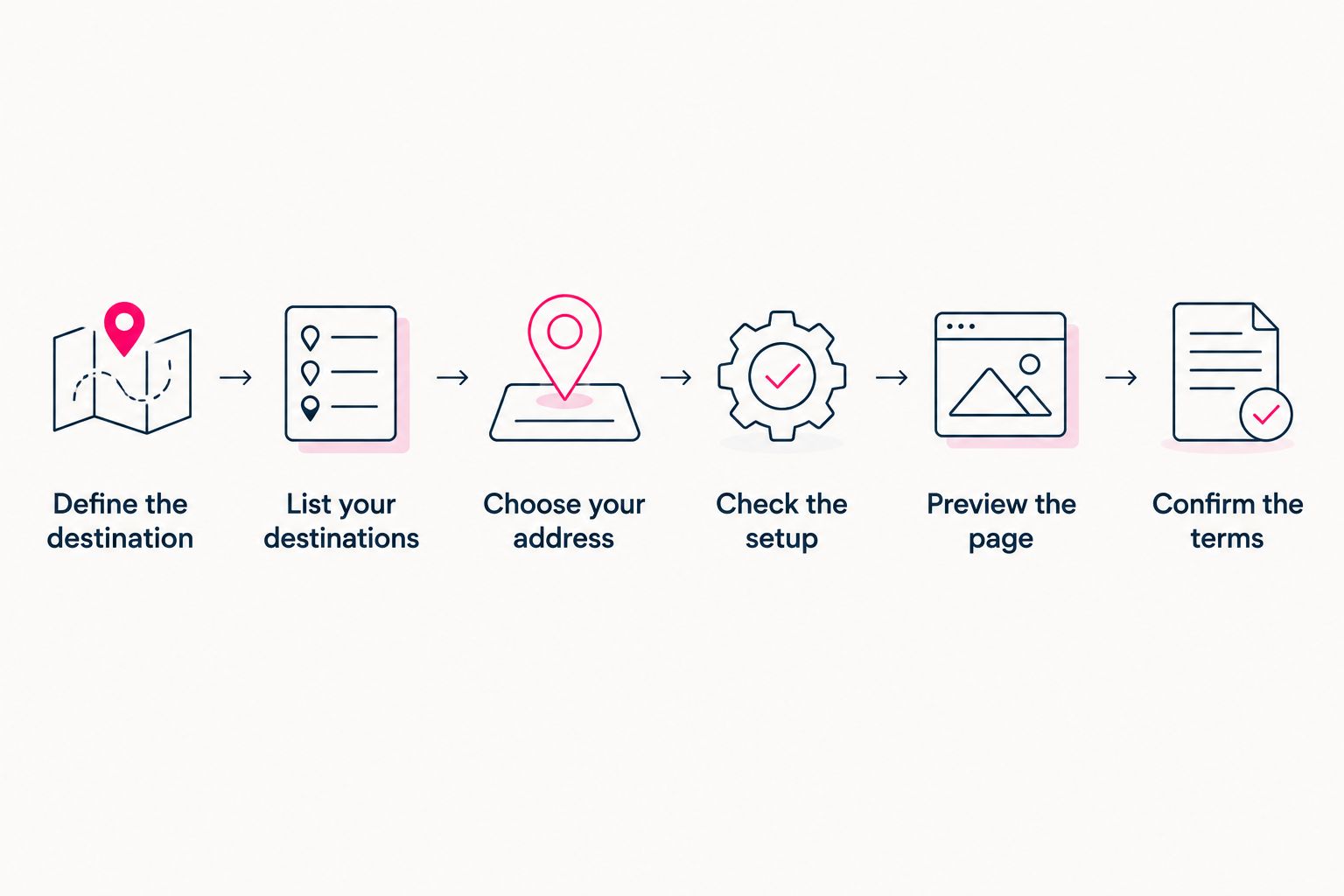
Choose the workflow and address before judging the finished page.
Choosing the right fit in 2026
AkaMe is best for creators who want a personalized website linking to subscriptions, products or services they already run elsewhere. That includes OnlyFans creators who want a recognizable destination for their creator business without moving the subscription experience itself.
The right comparison is about how you want to work. A managed creator website, a shared-address link page and a directly configured website each put different responsibilities in your hands.
| Approach | Best for | Practical benefit | Decision trade-off |
|---|---|---|---|
| AkaMe creator website | Creators with existing destinations who want a personal domain and handled setup | Combines a personalized page, registration, publishing and a preview before checkout | Its focused purpose is connecting your existing destinations; those destinations still need to be managed separately |
| Shared-address link page | Creators whose priority is gathering links under a service's address | Keeps your links together without making a personal address the central requirement | The address includes the service's identity rather than being your own domain |
| Carrd with direct domain configuration | Creators who prefer direct control over website building and domain setup | Suits a hands-on approach to designing and configuring a website | You take a more active role in the building and domain workflow |
A personal domain is a strong fit when your creator identity should lead the experience. A shared address fits a different priority: keeping the destination tied to the service you use. Neither choice removes the need for clear wording and sensible link order.
Carrd suits creators who enjoy direct control over website building and domain configuration. If that work appeals to you, include it in your shortlist. If you want registration and publishing handled, use that requirement to narrow the search instead.
When comparing Linktree or Linkme, apply the same checklist. Look at the current domain options, editing workflow and terms for the version you are considering. Compare the actual setup you would use—not assumptions based on the brand name or features from a different plan.
What changes the right choice as your audience grows?
Audience growth does not automatically mean you need a more complicated page. What matters is whether the page still matches your business and the people arriving there. Review these factors when choosing a link-in-bio website builder:
- Your destination mix. A subscription, a product collection and a booking destination serve different purposes. Group and label them so visitors can tell which route matches their intent.
- Your creator identity. A personal domain puts your chosen name in the address. Use that identity consistently in the page wording and the profiles sending people there.
- Your setup preference. Handled registration and publishing suit a creator who wants help getting the website live. Direct configuration suits someone who wants to do that work themselves.
- Your presentation needs. Photographs, introductory text and customization help explain who you are and what visitors can do. Judge those elements together in a preview, not in isolation.
- Your maintenance routine. Choose a page you can keep accurate. Outdated campaign links and unclear labels remain problems regardless of which tool you select.
- Your domain responsibilities. Registration, renewal and transfer terms affect the address beyond the initial setup. Read the terms that apply to your actual choice.
The practical question is whether a visitor can recognize you and find the intended next step. Extra features deserve attention only when they help you do a specific job.
For a 2026 shortlist, write down your non-negotiable requirements before comparing tools. Otherwise, you risk choosing a builder for an impressive feature you never use while overlooking the setup responsibility you wanted to avoid.
What should you check in a creator website preview?
A preview lets you evaluate the proposed website before checkout. Review it as a visitor who has just arrived from your social profile—not as someone who already knows what every button means.
Your identity
Check that the name, photographs and introductory wording describe the same creator your audience follows. The page should feel connected to your profile without requiring visitors to decode a new identity.
Photo selection assistance gives you help choosing images; your judgment still matters. Choose photographs that represent how you want to appear, and make the final decision yourself. Automated ranking is assistance, not a substitute for your preferences.
Your link order
Put the action that matters most where visitors can identify it easily. Give supporting destinations a clear role instead of arranging everything by the date you added it.
Labels should describe what happens next. A subscription destination, a product page and a collaboration route need different wording. Avoid vague labels that force visitors to open a link just to understand it.
Your destinations
Open every link from the preview. Confirm that it reaches the intended page, rather than an old campaign, a general homepage or a destination meant for a different audience.
Your creator website organizes access to existing business tools. It does not make their content accurate on your behalf. Check the landing experience as well as the link itself.
Your mobile experience
Review the page on your phone. Check whether photographs, introductory text and link labels communicate the right message together. A page that looks tidy in an editing view still needs to work when you arrive as a visitor.
Approve the page because it makes your next steps clear—not simply because it looks finished. A preview is your chance to personalize the destination before it becomes the address you share.
Do you need a custom domain when your audience gets bigger?
A custom domain makes sense when you want a recognizable address built around your creator identity. You do not need to reach a particular follower count before choosing one.
The benefit is straightforward: your audience sees your chosen address rather than a shared service address. Your creator website can then bring the important destinations together beneath that identity.
A personal domain also separates your address from a shared domain used by other creators. It does not promise immunity from platform rules or restrictions. Choose it for the branded destination and the workflow, not as a guarantee against enforcement.
Can you keep your current subscriptions, shop and services?
Yes. A creator website can link to the platforms where your subscriptions, products and services already live. Choosing a new front door does not require replacing everything behind it.
Keep that distinction clear when comparing builders. If your current destinations already perform their jobs, focus on how the website introduces them and sends visitors to the right place. If you need the website itself to deliver a separate business function, evaluate that requirement directly rather than assuming a link page covers it.
When should you review your current bio link?
Review your bio link when your main offer changes, your destination list becomes confusing or your current address no longer matches the identity you want to share. Follower growth alone is not a reason to start over.
Ask someone unfamiliar with your page to identify its main action. If the answer does not match your intention, revise the wording and order before deciding whether a different tool is necessary. A tool change should solve a defined problem.
FAQ
What's the best link in bio tool for a growing creator?
The best link in bio tool matches your address, presentation and setup needs. AkaMe fits creators who want a personalized website on their own domain that links to subscriptions, products or services already hosted elsewhere.
How do I compare link-in-bio tools in 2026?
Compare the destination you want, the address you will share and the work required to publish and maintain the page. Review a preview and the applicable domain terms before choosing.
Do I need a certain number of followers to get a custom domain?
No particular follower count is required to make a custom domain useful. Choose one when a personal, recognizable address fits the creator identity you want to build.
Can I use a creator website alongside OnlyFans?
Yes, a creator website can link to an existing OnlyFans destination. It acts as a branded front door rather than replacing the subscription platform.
Is a custom domain a guarantee against restrictions?
No, a custom domain does not guarantee protection from restrictions. It gives you a personal address rather than an address on a domain shared with other creators.
What should I look for before approving my website preview?
Check your name, photographs, introduction, link order and every destination. Review the page on your phone and make sure the main action is clear.
One last thing
Your most useful improvement might be a better link label—not another feature. Before changing tools, write each label so a visitor understands the destination without opening it. That small exercise also gives you a clearer brief for your new website.
Preview an AkaMe creator website, personalize the page and explore a domain that fits your name. Choose a destination you are ready to share, with the important links arranged around what your audience needs next.
Preview your creator website
Personalize your page, review the preview and explore a domain that fits your creator name.