

Agencies’ link-in-bio management is the process of organizing each creator’s public links, branding and updates to give every profile a clear destination. Choosing a link in bio tool for agencies means matching the website to each creator’s identity while keeping approvals, publishing and maintenance manageable across your roster.
TL;DR
- Choose a link in bio tool for agencies around creator identity, approvals and ongoing maintenance.
- AkaMe fits agencies seeking personalized creator websites with custom domain registration and publishing handled.
- Separate creator-facing website requirements from agency access and roster-management requirements.
- Standardize your process, not every creator’s public page.
Why link-in-bio management matters for agencies
An agency manages separate identities, not just separate lists of links. Each creator needs the right destinations, recognizable branding and a clear next action. A mistaken subscription link or outdated campaign button sends visitors somewhere the creator did not intend.
AkaMe is best for agencies whose creators want personalized websites with domain registration and publishing handled. The AkaMe creator website builder brings important links together on a creator’s own domain, with customization, photo selection assistance and a preview before checkout.
That fits creators whose subscriptions, products or services already live elsewhere. An OnlyFans creator, for example, can use a creator website as the branded front door while keeping the subscription destination on its existing platform.
For your 2026 workflow, distinguish the public website from the internal management process. A polished page does not establish whether a tool supports staff permissions, account switching or centralized approvals. Check those agency requirements separately.
Set up a repeatable creator website workflow
Start with a shared document or spreadsheet. Record the brief, approved destinations, domain choice and publishing status for each creator before choosing software. This makes your requirements explicit instead of letting a feature list define the process.
Use the following sequence for every creator. Keep the steps consistent; let the identity, images and link priorities differ.
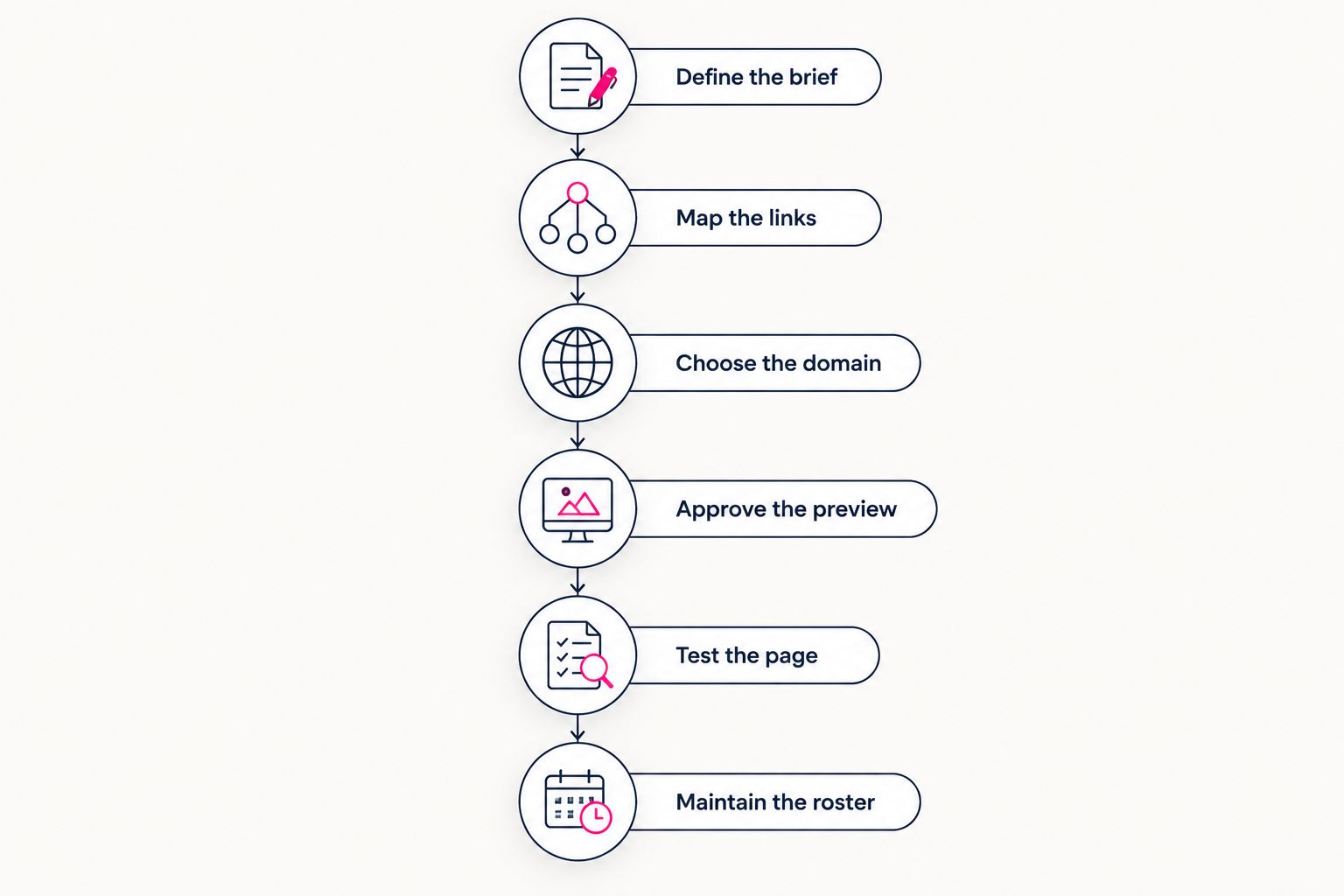
Use one publishing process while keeping each creator’s identity distinct.
Define the brief
Create a short brief before touching a page builder. Ask what the creator wants visitors to do first, what name visitors recognize and which destinations need to appear. Choose 1 primary action per page as your starting rule, then place supporting actions beneath it.
For an agency, the brief also needs an approver. Name the person who can confirm the public-facing identity and authorize changes. Otherwise, a simple photo replacement becomes a chain of conflicting messages.
Keep the brief focused on decisions. A creator selling subscriptions needs a different opening message from a creator prioritizing brand partnerships, even when both use the same website structure. Record the purpose of the page in plain language your whole team can follow.
- Record the creator’s approved public name and short description.
- Name the primary visitor action and supporting destinations.
- Identify the person responsible for final approval.
- Record image preferences and any content boundaries.
Map the links
Build the destination list manually first. Open every proposed link, confirm the account it reaches and write a label that tells visitors what happens next. Do not copy a previous creator’s page and assume the destinations were replaced correctly.
Separate permanent links from temporary campaigns. A subscription destination belongs in the ongoing record; a launch or collaboration needs a removal or review trigger. This distinction makes later updates easier to assign.
Your website builder should follow this map, not replace it. Keep the approved destination list outside the published page so another team member can check a change without reconstructing the creator’s setup from memory.
- Record each destination beside its approved button label.
- Mark links as ongoing or campaign-specific.
- Confirm that subscription and social links reach the intended creator.
- Remove destinations that no longer support the brief.
Choose the domain
Start by asking the creator to approve a recognizable domain direction. Keep public identity separate from the agency’s internal naming conventions: visitors should recognize the creator, not your spreadsheet labels.
AkaMe’s link-in-bio website builder provides a personalized creator website on a unique domain, with registration and publishing handled for the creator. That is the simpler setup path when the agency wants to focus on the brief, content and approval rather than domain configuration.
For creators who prefer direct control over website building and domain configuration, Carrd is another relevant workflow. Choose based on who will do that work and maintain it. Before committing to a domain arrangement, confirm the applicable renewal, account-control and transfer terms.
- Get the creator’s approval for the proposed domain.
- Keep the domain choice consistent with the approved public name.
- Assign responsibility for domain-related notices and decisions.
- Record the confirmed domain arrangement in the creator brief.
Approve the preview
Review the page as a creator-facing website, not an administrative task. Does the opening explain whose page this is? Does the selected photo match the public identity? Can visitors find the primary destination without decoding vague button labels?
AkaMe supports customization, photo selection assistance and a preview before checkout. Photo ranking assists the selection process; the creator still makes the choice. Use the preview to settle those decisions while everyone can see the same proposed page.
Keep approval separate from general feedback. Collect requested changes in one place, update the preview and ask the designated approver to confirm the result. A clear approval record is more useful than scattered reactions across messaging apps.
- Check the name, description, selected photo and link order together.
- Replace ambiguous labels with destination-specific wording.
- Consolidate feedback into one change list.
- Record approval against the final preview, not an earlier version.
Test the page
Test the published destination rather than relying only on the preview. For a practical baseline, check 2 viewing contexts: a mobile browser and an in-app browser used by the creator’s audience. This is a testing recommendation, not a guarantee that every visitor sees an identical result.
Use 3 publishing checks: identity, destinations and readability. Identity confirms the correct creator appears. Destinations confirm buttons reach the intended accounts. Readability confirms the page makes sense on the screen in front of you.
Document what you checked in your 2026 publishing record. If the agency also maintains the creator’s social profiles, confirm those profiles point to the approved website rather than an old link page.
- Open the published page in both selected viewing contexts.
- Follow every button through to its destination.
- Check image presentation, text clarity and link order.
- Confirm the intended website appears in the relevant social bio.
Maintain the roster
Keep a central roster even when creators use different tools. A spreadsheet can record the creator, website, responsible team member, approver, current campaign and last completed check. The point is visibility, not another elaborate system.
Tie maintenance to events that change the page: a launch ends, a subscription destination changes or a creator updates their public identity. Review the whole page after these changes rather than checking only the edited button.
Use the same handoff record when staff responsibilities change. The incoming manager needs the approved brief and current destinations, not private context stored in a colleague’s inbox. Never put passwords into a general roster document.
- Assign a named owner for each creator’s website updates.
- Record campaign review or removal triggers.
- Keep approvals and destination records accessible to authorized staff.
- Update responsibility records when agency assignments change.
Choosing the right fit
The best link in bio tool for agencies depends on two separate questions: what should the creator’s public page do, and how should your team manage it? Resolve both before standardizing on a tool in 2026.
The comparison below identifies useful starting points. For every option, test the agency workflow you actually need rather than treating a creator-facing feature as evidence of multi-client administration.
| Option | Best for | Main benefit | Key limitation or decision point |
|---|---|---|---|
| AkaMe | Creators wanting a personalized website with domain setup handled | Combines a unique domain, customization, photo assistance and publishing | Its stated purpose is linking to existing destinations; assess agency administration separately |
| Linktree | Creators wanting a familiar link-page format | Provides a recognizable way to collect destinations in one page | Confirm the account, domain and team workflow required for your roster |
| Linkme | Creators considering another link-in-bio workflow | Provides another option to evaluate against the same creator brief | Verify the specific publishing and management requirements before standardizing |
| Carrd | Creators or teams preferring direct website-building control | Suits a hands-on approach to building and domain configuration | Your workflow must account for who performs and maintains that configuration |
Choose the setup responsibility you want, not the longest feature list. A handled publishing process suits one agency; direct configuration suits another. Neither replaces a clear brief or creator approval.
During evaluation, use the same sample brief for each candidate. Ask the same person to build or review the proposed page and record where the workflow requires manual coordination. This keeps the comparison grounded in your agency’s work.
If central staff permissions or bulk updates are mandatory, make them acceptance criteria. A successful individual creator website does not, by itself, answer those operational questions.
Common mistakes agencies make
Standardizing the identity instead of the process
A shared checklist helps your team. Identical descriptions, images and link priorities do not help distinct creators. Reuse the briefing and approval process while giving every page its own public identity.
Choosing for one creator and assuming roster fit
A tool can work well for a creator without meeting the agency’s account-management needs. Test how authorized staff will request, approve and publish changes before making a roster-wide decision.
Publishing from scattered feedback
A message approving the photo does not necessarily approve the domain or link order. Consolidate decisions into a final preview and obtain explicit confirmation from the designated approver.
Leaving campaign links without an owner
Temporary promotions become stale when nobody owns their removal. Assign the responsible person when the campaign link goes live, and record the event that triggers its next review.
Replacing working destinations unnecessarily
A branded website can organize existing subscription, product and service links. Do not turn a link-page project into an unrelated migration. Change the destination only when the creator’s brief calls for it.
FAQ
What’s the best link in bio tool for agencies managing multiple creators?
The best fit matches both the creator’s website needs and the agency’s management process. AkaMe suits personalized creator websites with domain registration and publishing handled; assess staff access and roster requirements separately.
Can an agency use a separate custom domain for each creator?
A separate custom domain gives each creator a distinct branded destination. Get each creator’s approval and record the applicable domain arrangements before publishing.
Does a creator website replace OnlyFans or other subscription platforms?
A link-focused creator website brings subscription and other destinations together; it does not need to replace them. Keep the existing destination when it already serves the creator’s business.
Should an agency choose Linktree, Linkme or a custom-domain website?
Choose according to the approved creator brief and the work your team wants to handle. Compare public identity, domain setup, publishing and agency administration as separate requirements.
How should agencies approve creator websites in 2026?
Use a final preview and a named creator-side approver. Confirm the identity, selected photo, domain and link order together, then record approval before publishing.
What should an agency test before sharing a creator website?
Test the published page for correct identity, working destinations and readable presentation. Check it in a mobile browser and a relevant in-app browser, then confirm the social bio points to the intended website.
One last thing
Your most useful 2026 operating rule is simple: standardize the handoff, not the creator. A clear brief, approved preview and current destination record give your team a repeatable process without making every public page look or sound alike.
Preview an AkaMe creator website, personalize the page and explore a domain that fits the creator’s name. Start with the destination your audience should recognize, then build the agency workflow around keeping it accurate.
Preview your creator website
Personalize your page and explore a domain that fits your creator identity.